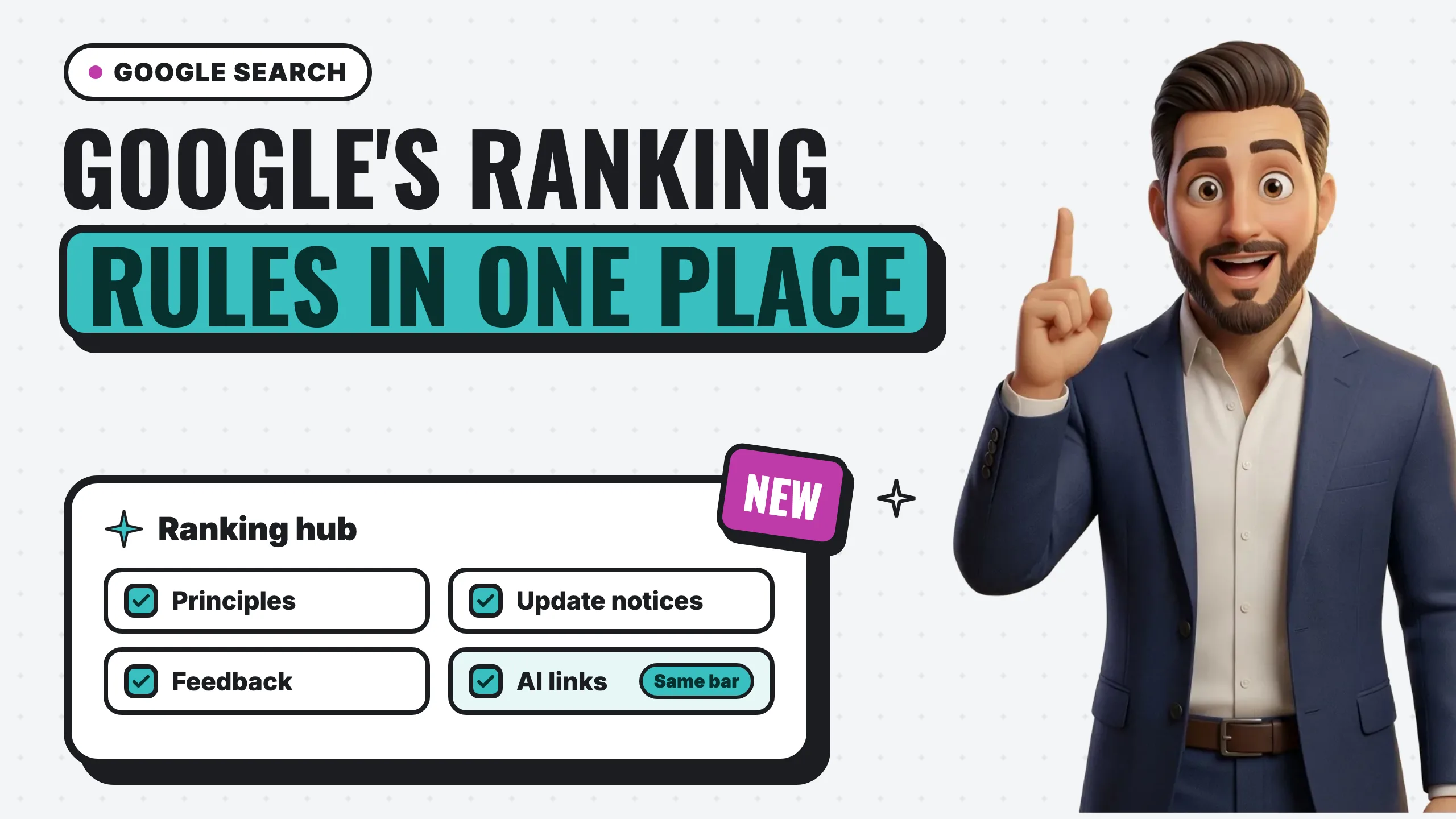
On November 24, 2026, Google published a new Search ranking hub on Search Central, “your central place to learn how Google ranks search results and to keep up with changes to our ranking systems.” It puts three things in one place: Google’s written principles for ranking, how and when it warns site owners about updates, and a new way to send feedback after an update. On the same day, Google also published a plain explanation of how AI Overviews and AI Mode choose the websites they link to. None of it is a new ranking trick. What it does is confirm, in Google’s own words, that the same quality bar applies to the blue links and the AI answers, which is good news for any small business that already focuses on helpful pages.
Here is what each new page says, what changed for AI search on the same day, and what to do about it this week.
Key takeaways
- Google says every result type is judged the same way: “web page listings and other results like AI Overviews, carousels, images, and videos are evaluated using the same criteria. No result receives preferential treatment” (Google).
- Google now gives advance notice of big changes. It preannounced the December 2026 core update on November 24, the day the hub went live (Search Status Dashboard).
- After an update, verified site owners can send feedback with a Submit Feedback button in Search Console, tagged with the update’s hashtag (Google).
- AI Overviews and AI Mode are “integrated directly with Google’s core web ranking, information retrieval, and quality systems” (Google). In practice, the work that helps you in Search also helps you get linked there.
- Wait until an update is marked complete, “plus at least a week of post-rollout data,” before judging your traffic (Google).
What Google published on November 24, 2026
The hub itself is a landing page. The new material sits on the pages it links to, and every one of them carries a last-updated date of November 24, 2026:
| Page | What it covers |
|---|---|
| Google Search ranking hub | The front door: principles, notices, feedback, and links to Google’s ranking guides |
| Our principles for ranking results | The three rules every ranking system follows, from classic ranking to AI |
| How to stay informed on ranking updates | When Google gives notice and where it posts it |
| Submit feedback about ranking changes | The Search Console feedback button, plus appeals for manual actions and removals |
| Attribution and factuality in Search generative AI features | How AI Overviews and AI Mode pick, check and display links |
| Control how your content is used for generative AI and Google-Extended | The difference between training and grounding, and which setting controls which |
Google’s documentation changelog says the goal was to “bring information about how Google Search ranks results, how we give notice of ranking and policy changes, and how to submit feedback, all in one place.” The older guide to Google Search ranking systems, last updated December 10, 2025, is still the reference for the individual systems (more on that below).
Google’s three ranking principles
The principles page says “all the parts of our system for ranking and organizing content, from classic ranking systems to deep learning models to generative AI, are guided by three core principles” (Google):
- Users come first. Google prioritizes “helpful, reliable information that’s created to benefit people.”
- Consistent systems across all types of results. Every result is ranked on utility, “how useful a result is for the query,” and the same criteria apply to web listings, AI Overviews, carousels, images and videos. Google says it measures the helpfulness of its results using its public Search Quality Rater Guidelines.
- Rigorous testing. Every change is tested for usefulness, and “if we can’t show a change actually makes things better for people, we don’t launch it.”
Two more lines are worth knowing. Google says it doesn’t “make manual adjustments to alter search rankings other than to comply with legal obligations or apply our clearly defined Content Policies,” and the ranking hub repeats that Google will “never accept payment to rank web pages higher in organic search results.”
What it means for you: there is no separate rulebook for AI answers. A clear service page with real photos, real prices or ranges, your service area and who does the work is the kind of page that can rank in the regular results and be linked in an AI Overview. If you have been told you need a whole new “AI SEO” strategy, this is Google saying the foundation hasn’t moved. Our SEO, AEO and GEO page explains how we build for both at once.
Google now warns you before big updates
The stay-informed page sets out when Google gives notice. It covers two kinds of change (Google):
- Actionable policy changes: updates to the spam policies, technical guidelines or eligibility rules “where site owners may need to adjust their site, content practices, or markup to remain compliant.”
- Significant ranking changes: broad updates such as core updates “that may produce noticeable ranking shifts across many queries and sites.”
Notices go on the Search Status Dashboard, which has an RSS feed you can subscribe to, and major updates also appear on the Search Central Blog and the documentation changelog.
The first update announced under this policy is already on the dashboard. Google says the December 2026 core update “focuses on multiple improvements to how our systems understand and rank relevant content (including for longer and more complex questions), as well as improving personalized results for people who have personalization turned on,” applies to all locations and languages, and “is scheduled to be released in December 2026” (Search Status Dashboard). It follows the November 2026 core update, which started November 10 and finished after 13 days and 20 hours.
What it means for you: longer, more specific questions are exactly what local customers type and speak (“who fixes a leaking water heater in Salinas on a Sunday”). In our experience, pages that answer those questions directly, one service per page, are the ones best placed for this kind of update. If your site has one page that lists ten services, now is a good time to give the important ones their own page. Our SEO checklist covers the basics.
What to do if your traffic moves after an update
Google is specific about timing: wait until the update is marked complete on the Search Status Dashboard, “plus at least a week of post-rollout data,” before you evaluate changes in Search Console. Then debug the drop and, if it still looks wrong, send feedback.
The new feedback route works like this (Google): when a significant ranking change or policy update is posted on the dashboard, verified site owners can click Submit Feedback in Search Console and include the update’s hashtag, for example #NovemberCoreUpdate2026. Google recommends including:
- A snapshot of your Performance report
- The exact searches, country and language where the problem shows up
- Your affected URLs next to competing URLs that seem to rank wrongly (for example, a copy of your content outranking your original)
- When and how your pages were affected
- Why the current results fail searchers, with before-and-after impressions or position data
Keep expectations right: Google told Search Engine Land these mechanisms help its engineers “assess and triage potential systemic issues, not serve as manual appeals for individual sites” (Search Engine Land). Real appeals still exist for specific actions, such as a reconsideration request after you fix a manual action in the Manual actions report.
You can only send feedback from a verified Search Console property. If you have never set one up, our Search Console lesson walks through it.
How AI Overviews and AI Mode choose the links they show
This is the page most small business owners will find useful. Google says its AI features “use a customized Gemini model integrated directly with Google’s core web ranking, information retrieval, and quality systems,” and lays out four steps (Google):
- Results from the Search index. For AI Overviews, Google first looks at the ranked results for the search, and “snippets from these articles are provided to the model as a basis for the overview.”
- Related searches. The model may run more searches on parts of the question, which Google calls “query fan-out.”
- Checking and citing. The model writes the answer from those results, then “cites and links to the pages that support the information in the response.”
- Display. Google picks which links to show and how, balancing “relevance and quality signals from Search ranking” with a clear layout and “a diverse set of helpful sources.”
Before an answer is shown, Google checks it against “a range of reliable sources, such as web results, data feeds, and Google’s Knowledge Graph,” and it holds sensitive “Your Money or Your Life” topics (health, money, legal) to an even higher bar. We walk through the same retrieve, check and cite process across ChatGPT, Gemini and Google in how AI search works.
Google’s best practices for being linked accurately are short:
- Be eligible. Only pages that are indexed and can show a snippet can be supporting links, and your site must be included in Search generative AI features in Search Console (it is by default).
- Write helpful, reliable content. Keep important information in text, and help readers trust you with “clear sourcing and background about the author or your site (for example, through author pages or an About page).”
- Keep it accurate. Fix errors and update pages when things change, but “avoid changing a page’s date unless the content has substantially changed.”
- Watch your numbers. Use the Generative AI performance report in Search Console.
That last point is a real change for owners. Search Console’s Generative AI performance report, rolled out to all sites on August 31, 2026, shows how many impressions your links got in AI Overviews and AI Mode, which pages earn them, and from which countries and devices. Our AI search visibility guide shows where it fits next to Bing’s AI Performance report.
Training, grounding and the settings that control them
Google’s updated controls page separates two uses of your content (Google):
- Training teaches future Gemini models general knowledge before they launch.
- Grounding looks up fresh pages from the Search index while answering, so the answer can be accurate “and link to supporting web pages.” Google notes that “allowing grounding enables these experiences to show links to your site.”
Each has its own switch:
| Setting | Where | What it does |
|---|---|---|
| Search generative AI control | Search Console, Settings | Includes (the default) or excludes your site from AI Overviews, AI Mode and AI features in Discover. Not a ranking signal for the rest of Search |
| Google-Extended | robots.txt | Limits training, and grounding in Google’s AI products outside Search, such as the Gemini app. Not a ranking signal, and doesn’t affect inclusion in Search |
| nosnippet, data-nosnippet, max-snippet | Page HTML (code tags your web designer adds) | Limits which text can appear in results, including AI features |
| noindex | Page HTML | Keeps a page out of Google Search entirely, AI features included |
What it means for you: for a local business that wants to be found, the right setting is usually the default. Leave the Search generative AI control on “include,” and don’t block Google-Extended unless you have a reason, because blocking it also limits grounding in the Gemini app, where customers ask for recommendations too. Our web crawler lesson explains which bots to let in.
The ranking systems guide still explains the details
The hub links back to Google’s guide to its ranking systems, which is still the best plain list of what Google actually runs: BERT, freshness systems, link analysis and PageRank, neural matching, passage ranking, RankBrain, the reviews system, spam detection and more. A few lines from it matter for small sites:
- Ranking works “on the page level,” with site-wide signals helping. Some good site-wide signals don’t mean every page ranks well, and some weak ones don’t sink every page.
- The site diversity system means Google “generally won’t show more than two web page listings from the same site in our top results.” One strong page per topic beats five near-copies.
- The exact match domain system adjusts so that a keyword-stuffed domain name doesn’t get too much credit.
- The helpful content system is listed as retired: in March 2024 it “became part of our core ranking systems.”
For how those systems show up on a real local results page, see how Google Search works for a local business.
Your checklist for this week
- Subscribe to the Search Status Dashboard RSS feed so you hear about the December 2026 core update when it starts.
- Verify your site in Search Console if you haven’t, so you can see your numbers and use the Submit Feedback button.
- Open the Generative AI performance report and note which pages earn AI impressions today. That is your baseline before the December update.
- Check Settings, then Search generative AI and confirm your site is set to include.
- Give each main service its own page that answers the longer questions customers actually ask, with your name, photos and service area on it.
- Don’t change page dates for show. Update a page when the facts change, and only then.
FAQ
What is the Google Search ranking hub?
It is a section of Google Search Central, published November 24, 2026, that gathers Google’s ranking principles, its policy for giving notice of updates, the ways to send ranking feedback, and links to its guides on ranking systems and AI features.
Does the ranking hub change how Google ranks my site?
No. It documents how ranking already works and how Google communicates changes. The principles page says the same standard applies to every result type, including AI Overviews.
When is the December 2026 core update?
Google preannounced it on November 24, 2026, and says it “is scheduled to be released in December 2026.” The Search Status Dashboard will post the start and completion dates.
Can I appeal a ranking drop after a core update?
Not as an individual appeal. You can send feedback through Search Console’s Submit Feedback button with the update’s hashtag, which Google uses to look for systemic problems. Formal appeals exist for specific actions, such as manual actions, SafeSearch, copyright and counterfeit removals.
Do I need anything special to appear in AI Overviews?
Google says your page must be indexed, eligible to show a snippet, and your site included in Search generative AI features in Search Console, which is the default. Beyond that, the same helpful, accurate content that ranks in Search is what gets linked.
Does blocking Google-Extended hurt my Google rankings?
No. Google says Google-Extended “doesn’t impact a site’s inclusion in Google Search nor is it used as a ranking signal.” It does limit training and grounding in Google AI products outside Search, such as the Gemini app.
The bottom line
Google’s new ranking hub is mostly confirmation, and that is useful. It says in writing that AI answers and regular results are held to the same standard, it promises notice before big updates, and it gives owners a feedback channel and a dedicated AI report. For a small business, the plan doesn’t change: one clear page per service, real proof of who you are, accurate details kept up to date, and Search Console set up so you can see what’s happening.
Our websites start with Search Console connected and a page for each service, so you are ready for updates like the one coming in December. Want to see where you stand first? The free local rank audit shows how your business shows up around your area.