
You built a new page for your best service. It looks great. Then a month later it’s nowhere on Google. Most of the time the reason is simple: Google’s crawler never found it, or found it and couldn’t tell what it was about.
What is a web crawler?
A web crawler (also called a bot or a spider) is a program that visits web pages, reads them and follows their links to find more pages. Google’s is called Googlebot. Bing, ChatGPT and SEO tools all run their own.
For a business owner, the crawler matters for one reason: Google can’t show a page it hasn’t found and read. Crawling is the first step of the three in how Google Search works: crawl, index, then show.
How Google finds your pages
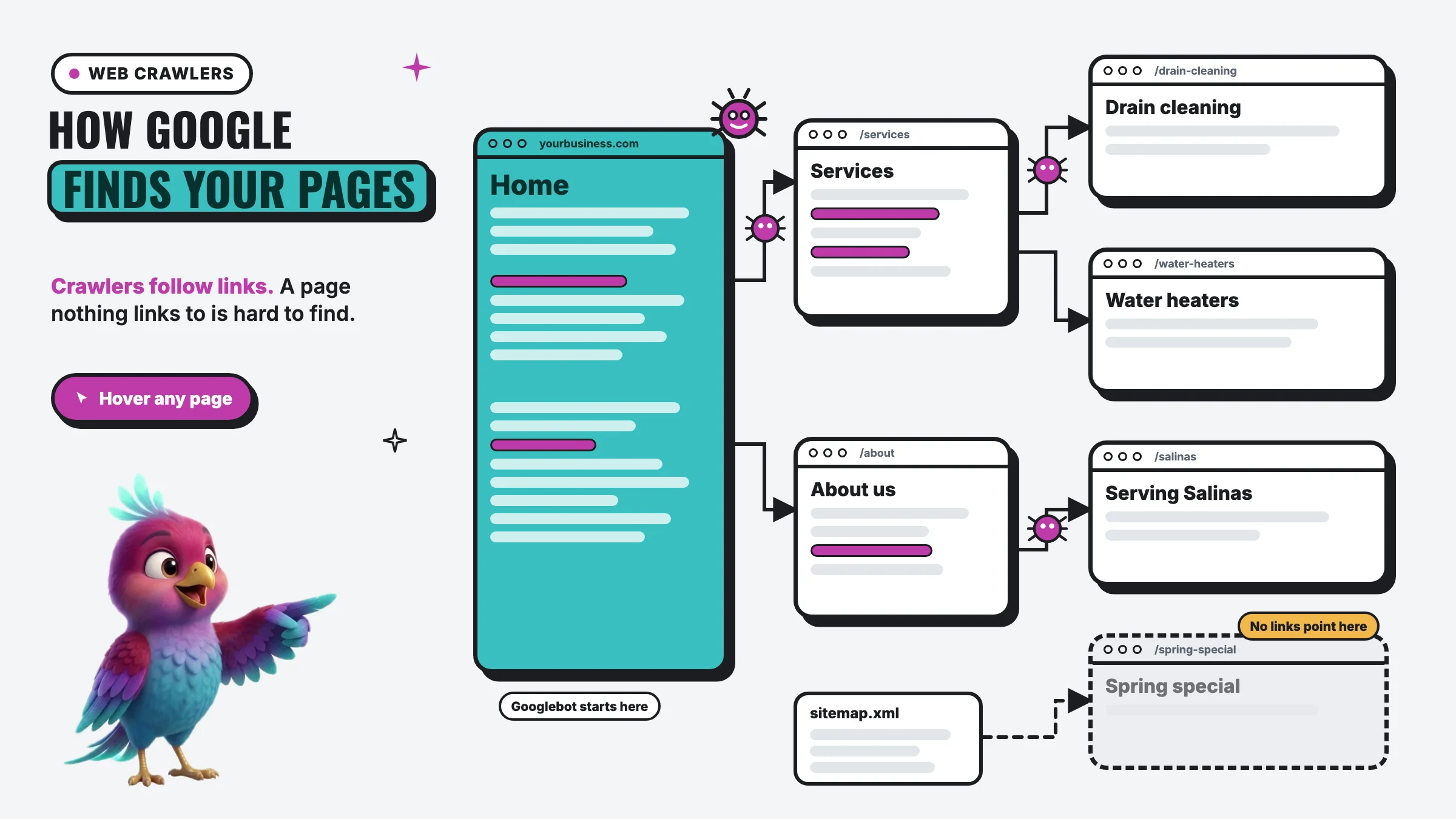
Google’s own guide lists three ways it learns about a page: it already knows it, it finds a link to it from a page it knows, or you list it in a sitemap. Links do most of the work. Google says “the vast majority of the new pages Google finds every day are through links.”
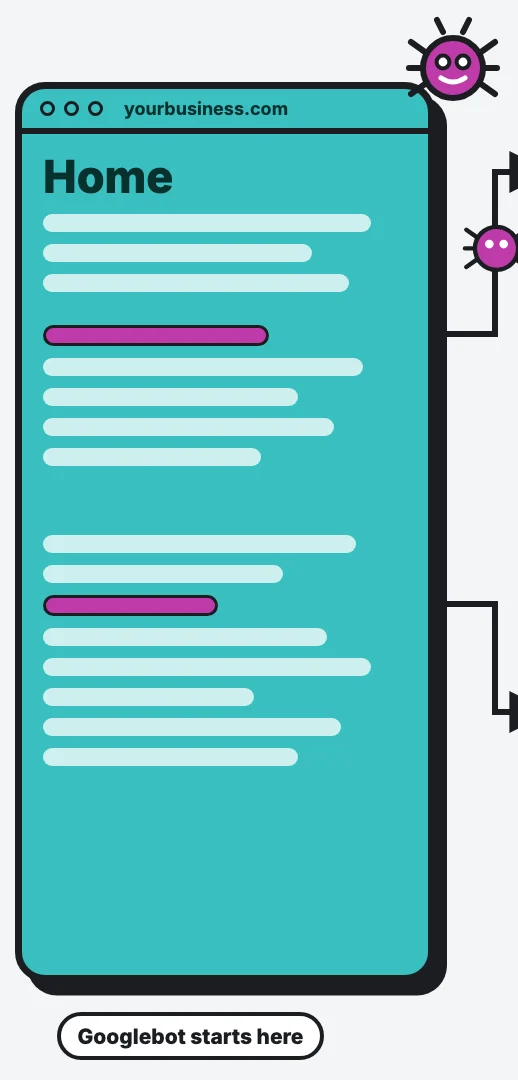
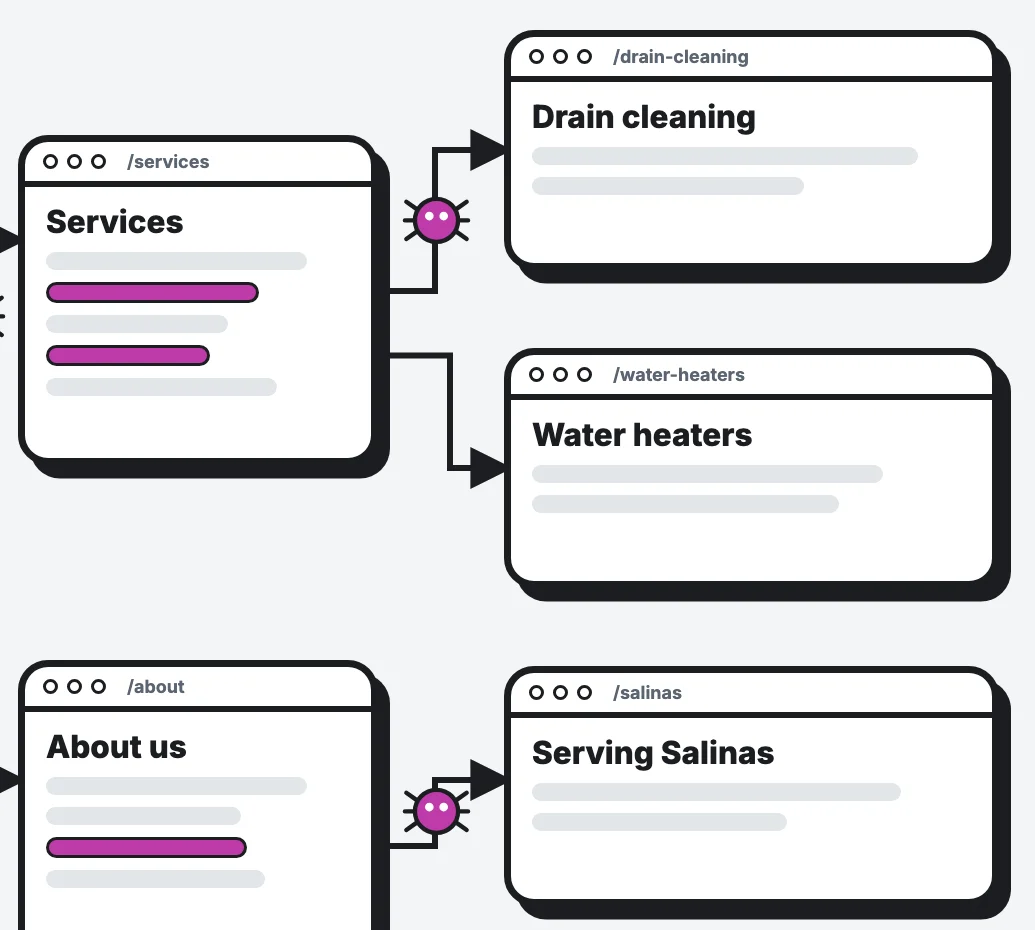
That’s the picture above. Googlebot starts on your home page, follows the link to Services, then follows Services’ links to each service page. Every link is a door.
So your menu and the links inside your pages aren’t just for visitors. They’re the map the crawler uses.
Orphan pages: the page nobody links to
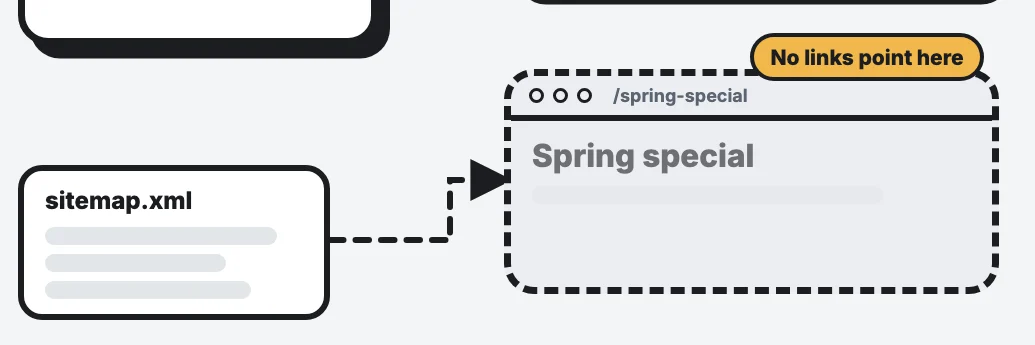
Look at the dashed page in the graphic. Nothing links to it. SEOs call that an orphan page, and it happens more often than you’d think. The usual suspects:
- A promo or seasonal page made for one campaign and never added to the menu.
- An ad landing page built just for Google or Facebook ads.
- A service-area page for a new city that only the sitemap mentions.
- An old page whose links were removed in a redesign.
Google is clear about the fix: “Every page you care about should have a link from at least one other page on your site.” Link it from your menu, your Services page, a related service page or your footer.
One more catch: Google can generally only follow a link if it’s a real <a> link with an address (an href). Buttons that only work with a script, or menus that load in a way Google can’t read, can leave pages stranded even though they look linked to you.
Sitemaps help, but they’re a backup
A sitemap is a file (usually at /sitemap.xml) that lists your pages for search engines. Most website platforms make one for you. It’s worth having, and you should submit it in Search Console and Bing Webmaster Tools.
But Google says a sitemap “doesn’t guarantee that all the items in your sitemap will be crawled and indexed.” Think of it as a backup. Links are still how pages get found and understood.
What crawlers read first: title, description and H1
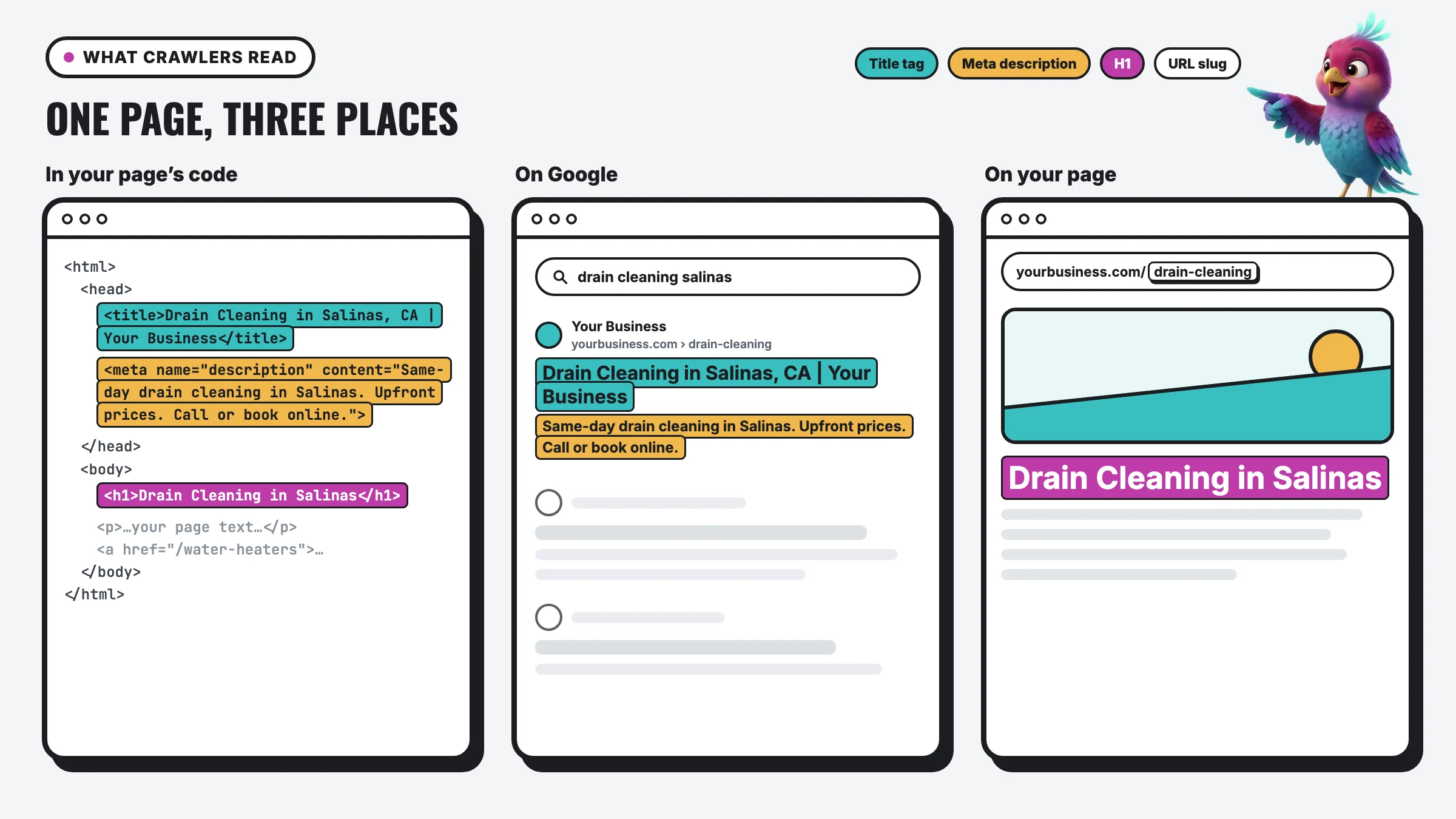 The title tag Lives in the code’s head section. Customers never see it on the page, but Google uses it for your blue link. The meta description A one or two sentence summary, also hidden in the code. Google may show it under your link. The H1 The page’s main heading in code. Google says headings like the H1 are one of the things it reads to name your page. Text and links The words and the links crawlers read. Links need to be real <a href> links for Google to follow them. What the customer typed “drain cleaning salinas.” The page with matching, clear words has the best shot. Name and address Your site name and the page’s address, shown above the link. Title tag, as the link Google usually builds the blue link from your title tag, but it can rewrite it using your H1 or other text. Meta description, as the snippet Google mostly writes snippets from your page text, and uses your meta description when it describes the page better. The URL slug “drain-cleaning.” Short, readable words beat numbers and codes. The H1, on the page The big heading customers actually see. It should say what the page is about in plain words. The rest of the page Crawlers read all of it to decide which searches the page answers.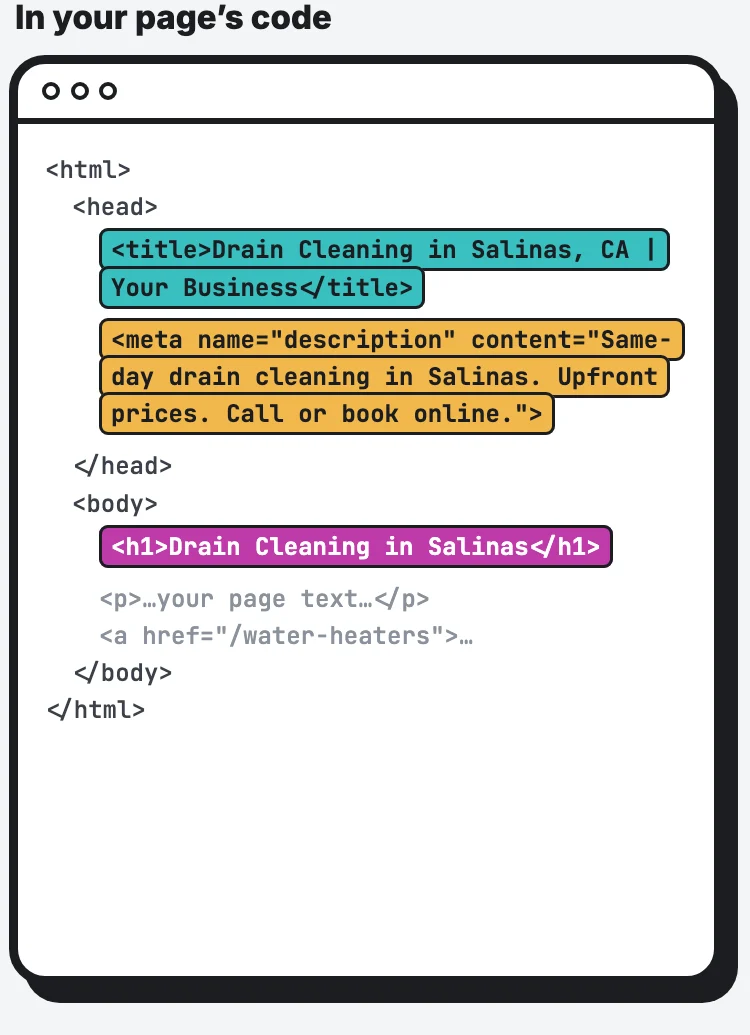
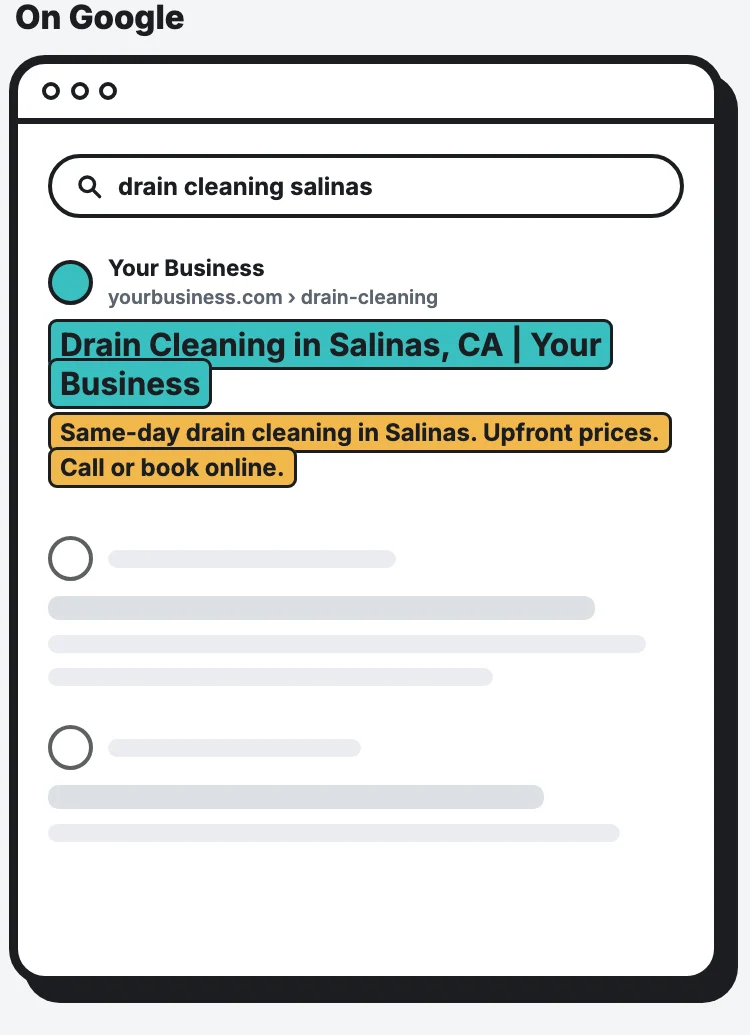
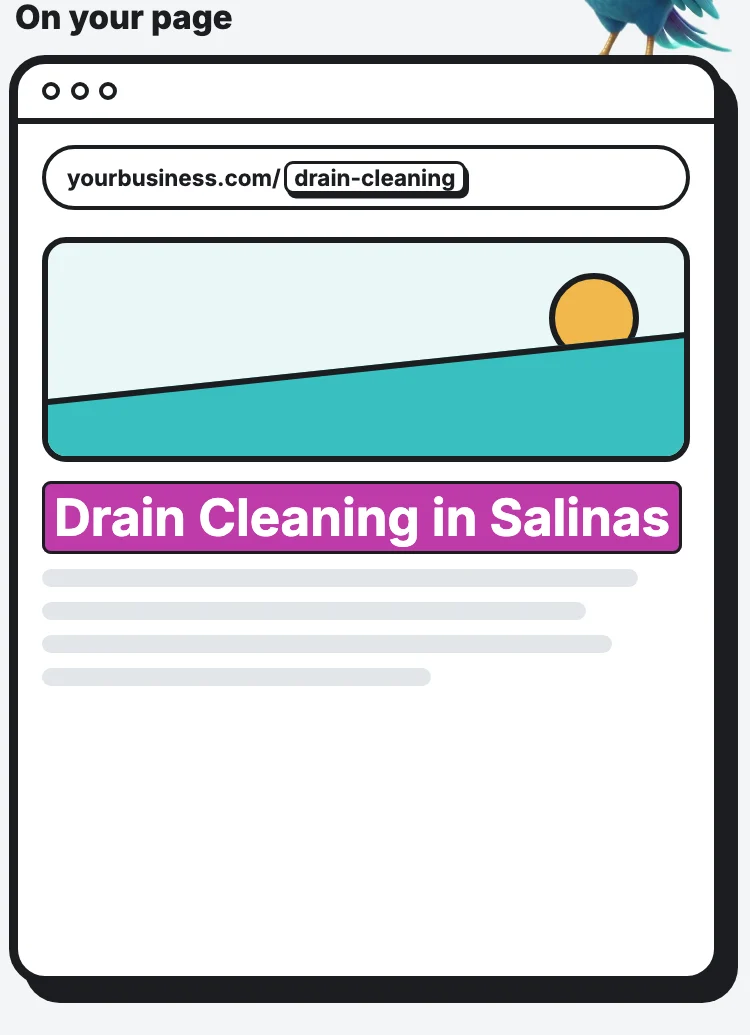
Teal is the title tag, yellow the meta description, pink the H1. Example business, not a real one.
Illustration adapted from Semrush’s “code, SERP, webpage” diagram, redrawn by Digital Vibes with a local example.
One page shown three ways: in its code, on Google and on the page itself. Hover over any part for a quick explanation, or click it and the AI walks you through it.
Once a crawler reaches a page, it reads everything. Three lines do the most visible work, and the graphic shows each one in three places: your code, Google’s results and your page.
The title tag lives in your page’s code. Customers don’t see it on the page, but Google usually uses it for the blue link in search results. Google also says it can build that link from other sources, like your main heading. Give every page its own clear title: the service, the city and your business name.
The meta description is a one or two sentence summary, also hidden in the code. Google says it “primarily uses the content on the page” for the text under your link, and uses the meta description when it describes the page better. Google said back in 2009 that it doesn’t use the meta description for ranking, but a clear one can still earn the click.
The H1 is the big heading people see on the page. It should say what the page is about in plain words. It doesn’t have to match the title word for word, but they should agree.
And the URL slug (“drain-cleaning”) should be short, readable words, not numbers.
robots.txt: the setting that can hide your site
Every site can have a robots.txt file that tells crawlers what they may visit. One line, Disallow: /, tells them to stay out of everything. It’s meant for test sites before launch. If that setting gets copied to the live site, it blocks the whole thing.
Two things owners get wrong:
- robots.txt doesn’t remove a page from Google. Google says it’s “not a mechanism for keeping a web page out of Google.” To keep a page out, use a noindex tag or a password.
- Blocking a crawler blocks what it powers. That matters for AI search, next.
AI crawlers: which ones to let in
AI companies crawl too, and they don’t all do the same job. OpenAI runs two separate bots: OAI-SearchBot is what surfaces websites in ChatGPT’s search features, and GPTBot collects content that may be used to train its models. You can allow one and block the other.
Google works the same way. Its Google-Extended setting controls whether your content can help train Gemini, and Google says it “does not impact a site’s inclusion in Google Search nor is it used as a ranking signal.”
My take for a local business: don’t block the search crawlers. If you want customers to find you in ChatGPT, OAI-SearchBot needs to get in. Training bots are a personal choice. More on what AI reads in where AI gets its information.
How to crawl your own site for free
You don’t need to be technical to see your site the way a crawler does:
- Google Search Console: paste any address into URL Inspection to see if Google has it and when it last crawled it. The Pages report lists what’s indexed and why other pages aren’t. Our Search Console lesson walks through it.
- Bing Webmaster Tools: it has its own URL Inspection and a Site Scan that checks for broken links and missing titles. See our Bing Webmaster Tools lesson.
- Screaming Frog SEO Spider: a desktop crawler that crawls 500 pages for free, enough for many small business sites. It lists every page with its title, description, H1 and broken links.
A 10-minute crawl check
- Can you reach every important page from your menu or another page? If not, add a link.
- Does every page have its own title and H1? No two pages should share one.
- Is your sitemap submitted in Search Console and Bing Webmaster Tools?
- Does your robots.txt (yourbusiness.com/robots.txt) block anything it shouldn’t?
- Inspect your newest page in Search Console. Is it indexed?
Every website we build gets Google Search Console from day one, so we see what Google has found. If you’d rather get the numbers without logging in, the Website Report sends them every month in plain words.
FAQ
What is a web crawler in simple terms? A program that visits web pages, reads them and follows their links to find more pages. Search engines use crawlers to build their index.
How do I get Google to crawl my site? Link every important page from another page, submit your sitemap in Search Console, and use URL Inspection to request indexing for new or changed pages.
What is an orphan page? A page with no links pointing to it from the rest of your site. Crawlers have a hard time finding it, so it may never show up in search.
Does the meta description help me rank? Google said in 2009 that it doesn’t use it for ranking. It can still help people decide to click.
Should I block AI crawlers? Not the ones that power AI search, like OAI-SearchBot, if you want to show up there. Blocking training bots like GPTBot or Google-Extended is your choice and doesn’t affect Google Search.
Summary
A web crawler is the bot that finds and reads your pages, and it mostly finds them by following links. A page nothing links to can stay invisible, a sitemap is only a backup, and your title tag, meta description and H1 are the first things a crawler reads to understand a page. Link every page you care about, give each one its own clear title and heading, keep robots.txt from blocking anything important, and check your site in Search Console and Bing Webmaster Tools once a month.