If you use ChatGPT, Gemini or any other AI tool to help write your website, Google just told you the one thing it wants you to do before you hit publish: check the facts yourself.
On October 1, 2026, Google updated its page on using generative AI content on your website. The new version adds a plain warning about how these tools work, and it says the check covers more than the words on the page. It also covers the titles, descriptions, code and image text that show up in search results.
Here’s what changed, what didn’t, and a short checklist you can use on your next page or post.
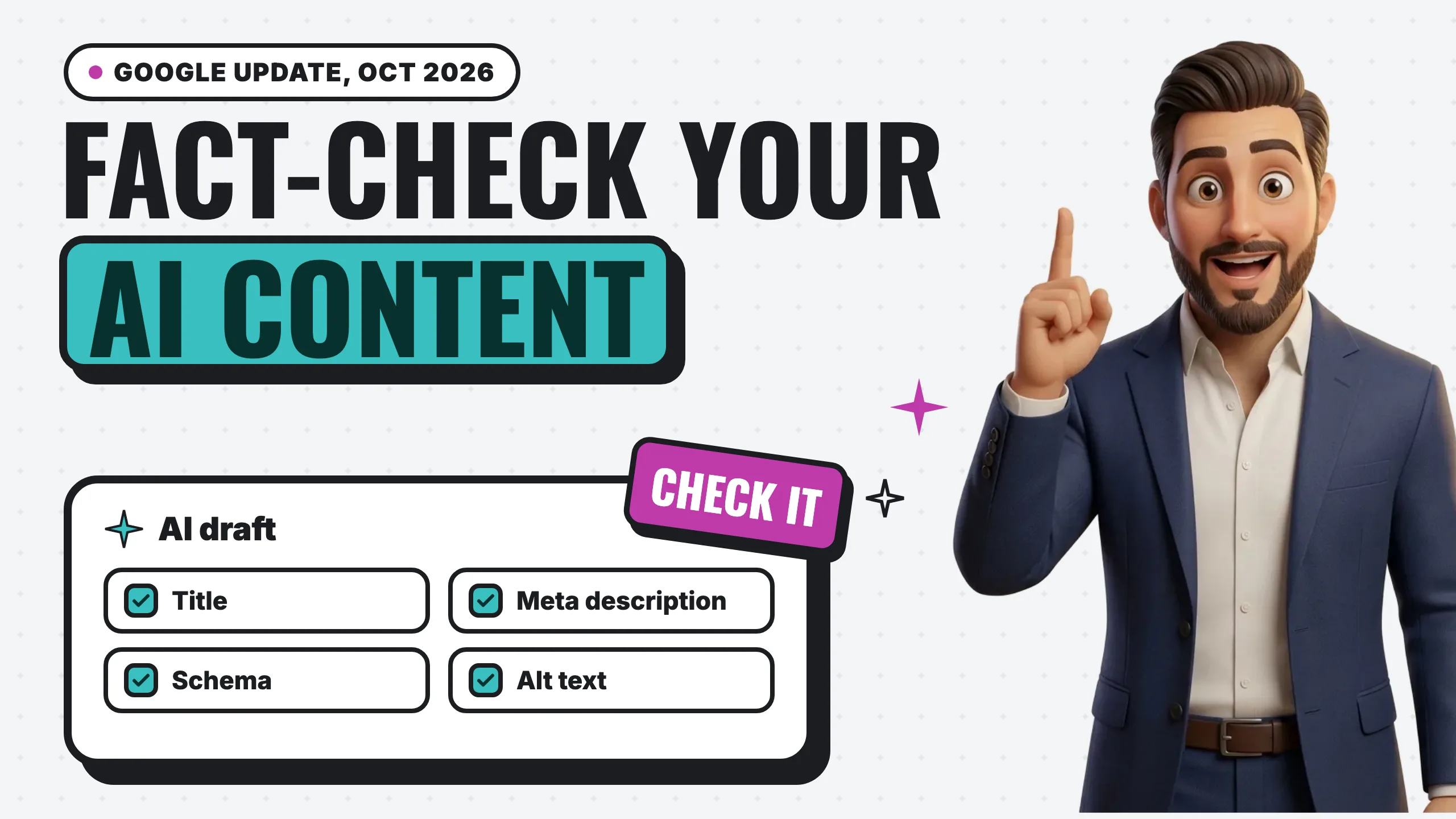
The short answer: Google still allows AI-written content. It now says plainly that AI tools can make up facts, so a person has to fact-check every AI draft before it’s published, including the title, meta description, schema and image alt text.
What Google added
The core of the update is two sentences. Google now says:
“Keep in mind that generative models don’t retrieve facts, but predict a likely sequence of words based on their training data. Because of this, generative AI outputs may contain inaccuracies (also known as hallucinations). It is critical to manually factcheck and review all AI-generated content for accuracy and trustworthiness before publishing.”
Then it extends that review to metadata: your <title> element, your meta description, your structured data and the alt text on your images, “which can appear in Search results.”
Here’s the same page before and after. The earlier version is the one Google last updated on December 10, 2025.
| Section | Before (Dec 2025) | After (Oct 1, 2026) |
|---|---|---|
| AI is fine for research and structure | Yes | Yes, unchanged |
| Mass-produced pages can be spam | Yes, scaled content abuse | Yes, unchanged |
| Rater guidelines sections 4.6.5 and 4.6.6 | Linked | Linked, unchanged |
| Why AI gets facts wrong | Not mentioned | “Generative models don’t retrieve facts” |
| Who checks the facts | Not mentioned | Manually, “all AI-generated content,” before publishing |
| Titles, meta descriptions, schema, alt text | Covered by “focus on accuracy, quality, and relevance” | Covered by the same manual review |
| Telling readers how content was made | Suggested | Suggested, unchanged |
Google’s documentation changelog gives the reason for the change: “To get our documentation in sync with our presentations we use at our developer events.” In other words, this isn’t a new penalty or a new ranking system. It’s Google writing down what its own team has been telling people at conferences.
What didn’t change: AI itself is not the problem
Google still isn’t against AI-written content. The page opens by saying generative AI “can be particularly useful when researching a topic, and to add structure to original content.” Its 2023 FAQ on AI content says the same thing: “Appropriate use of AI or automation is not against our guidelines.”
What Google is against is volume without value. Its spam policy on scaled content abuse lists “using generative AI tools or other similar tools to generate many pages without adding value for users” as an example, and it applies “no matter how it’s created.”
The guidance points to two sections of Google’s Search Quality Rater Guidelines (the September 11, 2025 version) that show how Google’s human reviewers think about this:
- Section 4.6.5, Scaled Content Abuse. Raters are told that “creating an abundance of content with little effort or originality with no editing or manual curation is often the defining attribute of spammy websites.”
- Section 4.6.6, little to no effort, originality or added value. Pages get the lowest rating when almost all of the main content is “copied, paraphrased, embedded, auto or AI generated, or reposted from other sources with little to no effort, little to no originality, and little to no added value.” The same section is careful to add that “the use of Generative AI tools alone does not determine the level of effort or Page Quality rating.”
One thing to keep in perspective: Google’s guidance says these rater guidelines “are not a guide to ranking first in Google,” and that the raters’ scores “don’t directly influence ranking.” They’re used to test whether Google’s ranking systems are working. They’re still the clearest public description of what Google considers low-effort content.
Why “check the facts” matters more than it sounds
The key phrase is “generative models don’t retrieve facts.” An AI writing tool doesn’t look up your business hours, your license number or last year’s price of a water heater. It writes what sounds likely. Usually that’s close. Sometimes it’s confidently wrong.
For a small business, the made-up details tend to be the ones that cost you:
- Hours, service areas or phone numbers that don’t match your Google Business Profile
- A license, certification or warranty you don’t actually have
- A price, a “most homes need” claim or a timeline that isn’t true for your area
- A statistic with no source, or a real source that never said that number
We ran into this ourselves this week. While researching our map of where AI gets its information, the AI research assistant we use pulled two figures from a BrightLocal study that didn’t match what the live study page says, and it attributed a Reddit statistic to Semrush that we couldn’t find anywhere on Semrush’s page. We caught all three because every number on that page gets checked against the original source before it’s published. The figures that went live are the ones on the source pages. The Semrush one was cut.
That’s the habit Google is asking for. AI drafted it fast; a person still has to check it.
Use AI to find sources, not to be the source
None of this means you should stop using AI for research. Google’s own guidance says generative AI “can be particularly useful when researching a topic.” The trick is to have it look things up instead of answering from memory.
Search-connected AI tools do exactly that. One example is Cloudflare’s Web Search API, which lets an AI model run a live web search mid-task through providers like Exa and Linkup. Each search returns up to 10 results, and each result is a link, a page title and a short description. The model works from current pages instead of old training data, and every claim comes with a link you can open.
That’s a real improvement, but it isn’t a fact-check. A search result is a short snippet, not the whole page. Pages can be outdated or just wrong. And the AI can still misread a number, mix up two sources or credit a figure to the wrong one. That’s what happened in our example above: our research assistant had live sources, and it still got three things wrong.
So use AI to find the most relevant sources fast. Then open each one yourself and confirm the number says what the draft says before it goes on your site.
The four places people forget to check
Most people proofread the body of the page. Google’s update names four pieces of metadata, and in our experience they’re the ones people skip. All four can show up directly in search results.
1. The title tag. This is the blue headline people click in Google. AI tools love to promise things (“Salinas’s #1 rated plumber,” “same-day service guaranteed”). If it isn’t true, take it out. If a title doesn’t accurately reflect the page, Google says it may show a different title link in results instead.
2. The meta description. The short summary under the headline. Make sure every claim in it, including prices, years in business and service areas, matches the page and your real business.
3. Structured data (schema). This is the code that tells Google your business name, hours, address, prices and reviews. AI tools are happy to generate it, and they’ll fill in anything that’s missing. Google’s structured data guidelines are blunt: “Don’t mark up content that is not visible to readers of the page,” and don’t mark up misleading content such as fake reviews. Check every value against your real business, then run the page through Google’s Rich Results Test and the Schema Markup Validator, which checks every field, not just the ones that earn rich results.
4. Image alt text. The short description of each image for screen readers and search. AI tools often guess what’s in a photo. If the alt text says “our team installing a tankless water heater in Monterey” and the photo is a stock image of someone else, that’s a false claim in a place Google reads.
Should you tell people AI helped?
Google’s guidance says sharing how a piece of content was created “can help give your readers more context,” especially when content is generated automatically. It doesn’t require a label on every page.
Google’s 2023 FAQ gives a practical rule: disclosures are “useful for content where someone might think ‘How was this created?’” It also says giving AI an author byline “is probably not the best way” to be clear about it. Put a real person’s name on the page, and if AI played a big part, say so in a sentence.
If you sell products online
This part has hard rules instead of suggestions. Google Merchant Center’s AI-generated content policy says:
- Product images created with generative AI must keep the IPTC metadata tag
TrainedAlgorithmicMedia(a hidden label inside the image file). Don’t strip it when you edit or compress the image. - AI-written product titles and descriptions must go in separate fields (
structured_titleandstructured_description) labeled as AI-generated, instead of or alongside the normal title and description.
If you run a Shopify store and use an AI tool to write product descriptions, check how your feed sends them to Google before your next sync.
A pre-publish checklist
Before any AI-assisted page or post goes live:
- Check every fact against a source you can open. Prices, dates, percentages, licenses, hours. If you can’t find where a number came from, cut it.
- Add something only you know. A real job, a real price range, a real photo, a local detail. That’s the “added value” Google’s raters are looking for. (More on what that looks like in AI content and evidence: what to actually publish.)
- Read the title tag and meta description out loud. Would you say it to a customer on the phone?
- Check your schema against your real name, address, phone, hours and reviews, then test it.
- Rewrite any alt text that describes something that isn’t in the photo.
- Put your name on it. A real author, with a short bio, not “AI” or “Admin.”
- Publish less. One page a customer would actually find useful is worth more than ten that say what every other site says.
The rest of your site’s basics, from technical setup to schema, are in our SEO checklist, with Google’s documentation linked for every step.
The short version
Google’s message hasn’t really changed since 2023: it cares what’s on the page, not what typed it. What’s new is that Google now says out loud why AI content needs a human check, and that the check includes the parts of your page people see in search results before they ever click.
AI is a fast first draft. You’re the fact-checker. If you’d like a second set of eyes on how your site shows up in Google, start with a free audit.