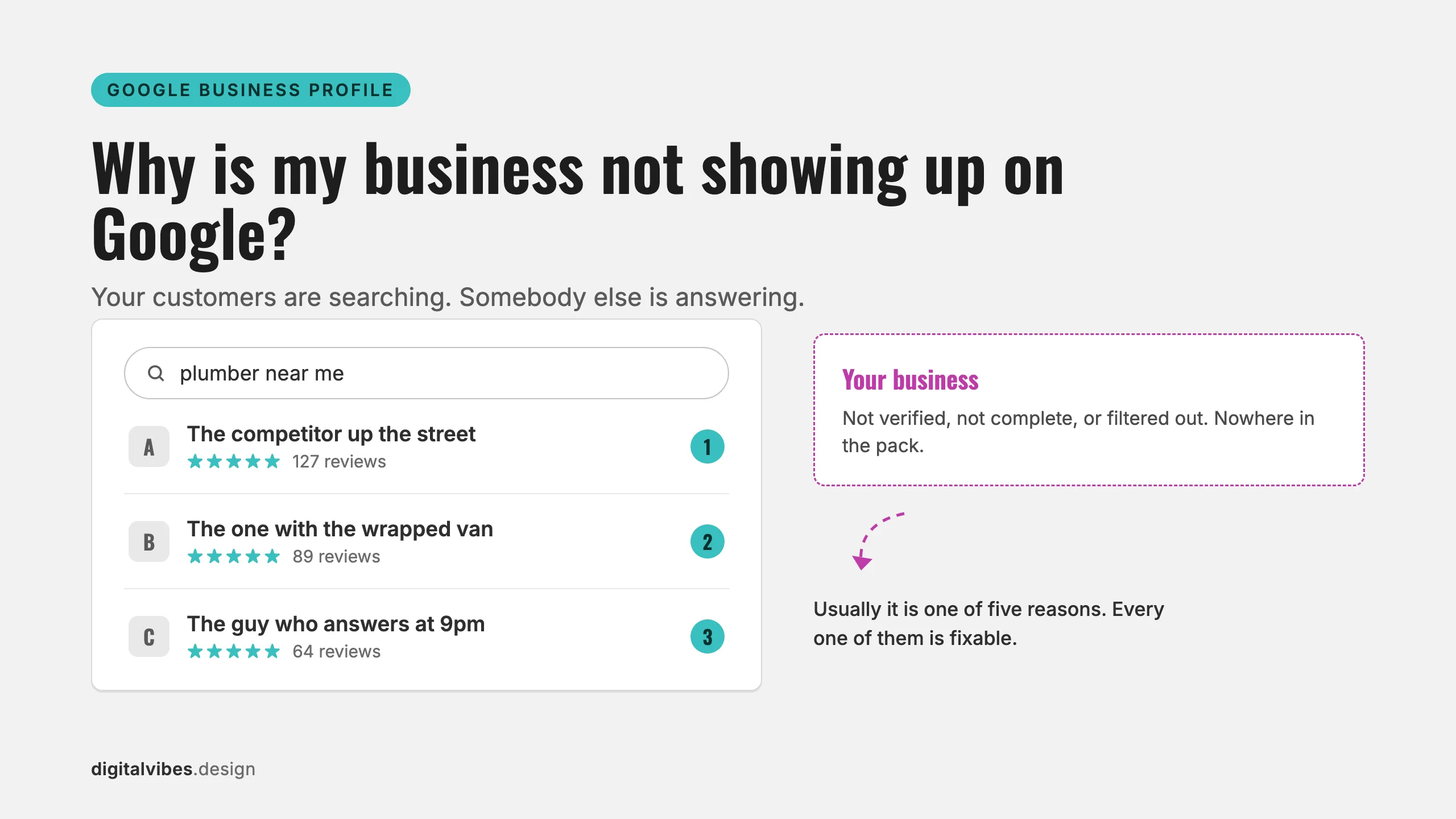
When a business is invisible on Google, it is almost always one of five things: the profile is not verified, the profile is suspended, the profile is too new, the profile breaks a Google rule you did not know existed, or nothing is broken at all and you are simply being outranked. Every one of these is diagnosable in minutes and fixable, and each fix below is quoted from Google’s own documentation.
If you want the diagnosis done for you, our free Google Business Profile scan reads your public listing and grades it in about 60 seconds, no signup. The rest of this guide is the manual version.
Key takeaways
- Google is explicit: “Only verified businesses can show their business info on Maps and Search.” Verification is the first thing to check.
- A suspended profile stops showing entirely: “The public can’t go to the profile” (Google). Appeal it; do not create a new one.
- New profiles take time: “Rankings for new businesses can take up to a month to appear in search results” (Google).
- If the profile is live but buried, you are losing on Google’s three local ranking factors: relevance, distance, and prominence. “There’s no way to request or pay for a better local ranking on Google.”
First, figure out which problem you have
Search Google for your exact business name plus your city. The result sorts you into one of three situations:
| What you see | What it means | Start at |
|---|---|---|
| Nothing at all, even for your exact name | Verification, suspension, or a brand-new profile | Causes 1 to 3 |
| Your profile appears for your name, but never for searches like “plumber near me” | You are live but losing the ranking contest | Cause 5 |
| Your profile shows, but your website is nowhere in regular results | An indexing problem, not a profile problem | The website section below |
Now work through the causes in order. They are sorted by how often we see them, and by how fast they are to check.
Cause 1: Your profile is not verified
Google’s visibility troubleshooter leads with this: “Only verified businesses can show their business info on Maps and Search” (Google Business Profile Help). If you created a profile and skipped or never finished the verification step, customers are not seeing it.
Verification happens in Business Profile Manager, and Google decides how you do it: “Verification methods are automatically determined by Google and can’t be changed” (Google). Depending on the business you will get phone or SMS, email, a live video call, or the old-fashioned postcard.
Budget real calendar time for this. From the same Google doc: verification review “can take up to 5 business days” after you complete the steps, postcard codes mostly “arrive within 14 days,” and codes “expire after 30 days.” A postcard that sat on someone’s desk past the deadline is one of the most common ways this process silently dies.
Cause 2: Your profile is suspended or disabled
A suspension is not a demotion; it is removal. Google states that when a profile is suspended, “The public can’t go to the profile” and “The owner and managers can’t act on the profile” (Google). If your profile existed and then vanished, log into Business Profile Manager and look for the suspension notice.
The fix is the official appeals tool, and two details matter:
- Have your evidence ready before you start. Google accepts business registration, licenses, tax certificates, and utility bills where “the business name and address match the profile.” The catch: “Once you open the evidence form, you must submit it within 60 minutes or it won’t be attached to your appeal.”
- Do not start over. Google says it plainly: “Do not create a new Business Profile for the same business while your appeal is under review.” A duplicate profile is itself a violation and tends to sink the appeal.
Cause 3: It is too new, or your edits have not landed
Google builds in waiting periods, and they are longer than most owners expect. Straight from the documentation: “Rankings for new businesses can take up to a month to appear in search results,” and edits to your business info “can take up to 3 days to appear” (Google).
The practical rule: make one round of accurate edits, then stop touching it for a few days. Re-editing daily because nothing changed yet does not speed anything up; it just restarts the clock on the parts that were fine.
Cause 4: Your profile breaks a rule you did not know existed
Google filters and suspends profiles that violate its representation guidelines, and three rules catch honest businesses constantly:
- The name field is for your name, nothing else. “Your name should reflect your business’s real-world name, as used consistently on your storefront, website, stationery, and as known to customers.” “Bob’s Plumbing | Best Emergency Plumber Salinas” reads as a hack to Google, because it is one.
- P.O. boxes do not count as addresses. “P.O. boxes or mailboxes located at remote locations aren’t acceptable.”
- Neither do virtual offices. If your business “rents a physical mailing address but doesn’t operate out of that location, also known as a virtual office, that location isn’t eligible for a Business Profile.”
Eligibility itself is defined by one sentence: “If your business either has a physical location that customers can visit, or travels to customers where they are, you can create a Business Profile on Google.” A service-area business qualifies; you hide the address and list the areas you serve instead.
Cause 5: Nothing is broken. You are being outranked
This is the uncomfortable one, because there is no bug to fix. If your profile shows for your own name but never for “your service + your city,” you are losing the ranking contest. Google says local results are built from exactly three factors (Google):
- Relevance: “how well a Business Profile matches what someone is searching for.” A profile with no categories, no services, and a two-word description gives Google nothing to match.
- Distance: “how far each business is from the customer who’s searching.” You cannot change this one, which is why the other two carry your strategy.
- Prominence: “how well-known a business is. Prominent places are more likely to show up in search results.”
Two more lines from the same page tell you where the work is: “Businesses with complete and accurate info are more likely to show up in local search results,” and “More reviews and positive ratings can help your business’s local ranking.” Reviews are also where customers make the actual decision: in BrightLocal’s 2026 survey of 1,002 US consumers, 97% read reviews for local businesses, and 41% now “always” read them while browsing, up from 29% a year earlier (BrightLocal, 2026).
And one myth Google kills directly: “There’s no way to request or pay for a better local ranking on Google.” Anyone selling you a guaranteed map-pack spot is selling something Google says does not exist. What moving up actually costs is the labor of local SEO, and in some industries the bar is surprisingly low because nobody local is doing the work properly.
What if it is your website that is missing?
A profile problem and an indexing problem look the same from the outside, but the checks are different. Search Google for site:yourdomain.com. Google’s own starter guide recommends exactly this: “Try searching on Google for your site with the site: search operator” (Google Search Central).
If nothing comes back, know that inclusion is never promised: “Google doesn’t guarantee that it will crawl, index, or serve your page, even if your page follows the Google Search Essentials” (How Google Search Works). New sites take time, and Google suggests waiting “a few weeks” before judging changes. The diagnostic tool is free: “To check how Google sees your page, use the URL Inspection Tool in Search Console.” That tool will tell you if a stray noindex tag or a blocked page, one of the opt-out mechanisms Google supports, is doing the hiding. For a full walkthrough on a real site, see why your website isn’t showing up on Google.
The 15-minute self-audit
Run through this list in order; each item maps to a cause above.
- Search your exact business name plus city. Not there? Check verification status in Business Profile Manager.
- Look for a suspension notice in Business Profile Manager. Found one? Gather documents first, then appeal, and remember the 60-minute evidence window.
- Made the profile or big edits recently? Give edits 3 days and new profiles a month before concluding something is broken.
- Read your business name field out loud. If it contains anything not on your storefront sign, fix it before Google does.
- Count your categories, services, photos, and reviews against the three competitors who outrank you. That gap is your to-do list.
- Run
site:yourdomain.comand check Search Console for your website’s side of the story.
Or skip the manual work: the free GBP scan pulls your public listing and grades it against what is ranking right now, in about a minute. If the scan turns up a mess you would rather hand off, our Google Business Profile optimization fixes every field, the photos, the review engine, and the compliance problems for $650, one time.
Frequently asked questions
How long does it take for a business to show up on Google?
Using Google’s own numbers: verification review takes up to 5 business days, a postcard code mostly arrives within 14 days, profile edits take up to 3 days to appear, and rankings for a brand-new business can take up to a month. If you are past those windows and still invisible, something on the list above is wrong.
Do I have to pay Google to show up?
No. A Business Profile is free, and for ranking, Google states there is no way to request or pay for a better local ranking. Google Ads can buy you a labeled ad slot, but the organic profile results cannot be bought.
Why do I show up when I search my name, but not for “plumber near me”?
Because those are two different contests. Your name search has one right answer; a service search has dozens of candidates ranked by relevance, distance, and prominence. Showing for your name proves the profile works. Showing for services is earned through categories, services, reviews, and activity. That is Cause 5, and it is a to-do list, not a penalty.
My profile was suspended. Should I just create a new one?
No. Google explicitly says not to create a new profile for the same business while an appeal is under review, and duplicates are themselves a violation. Appeal with matching documents instead; businesses that show Google paperwork matching the profile’s name and address are the ones the appeals process exists to reinstate.
The bottom line
“Why is my business not showing up on Google” has a short diagnostic: not verified, suspended, too new, breaking a rule, or outranked. The first four have procedural fixes with published timelines. The fifth is a contest you win with a complete profile, steady reviews, and the patience Google’s own timelines demand.
Start with the two-minute check: run the free scan, see your score, and find out which of the five it is. No signup, no sales call, just the diagnosis this article does by hand.