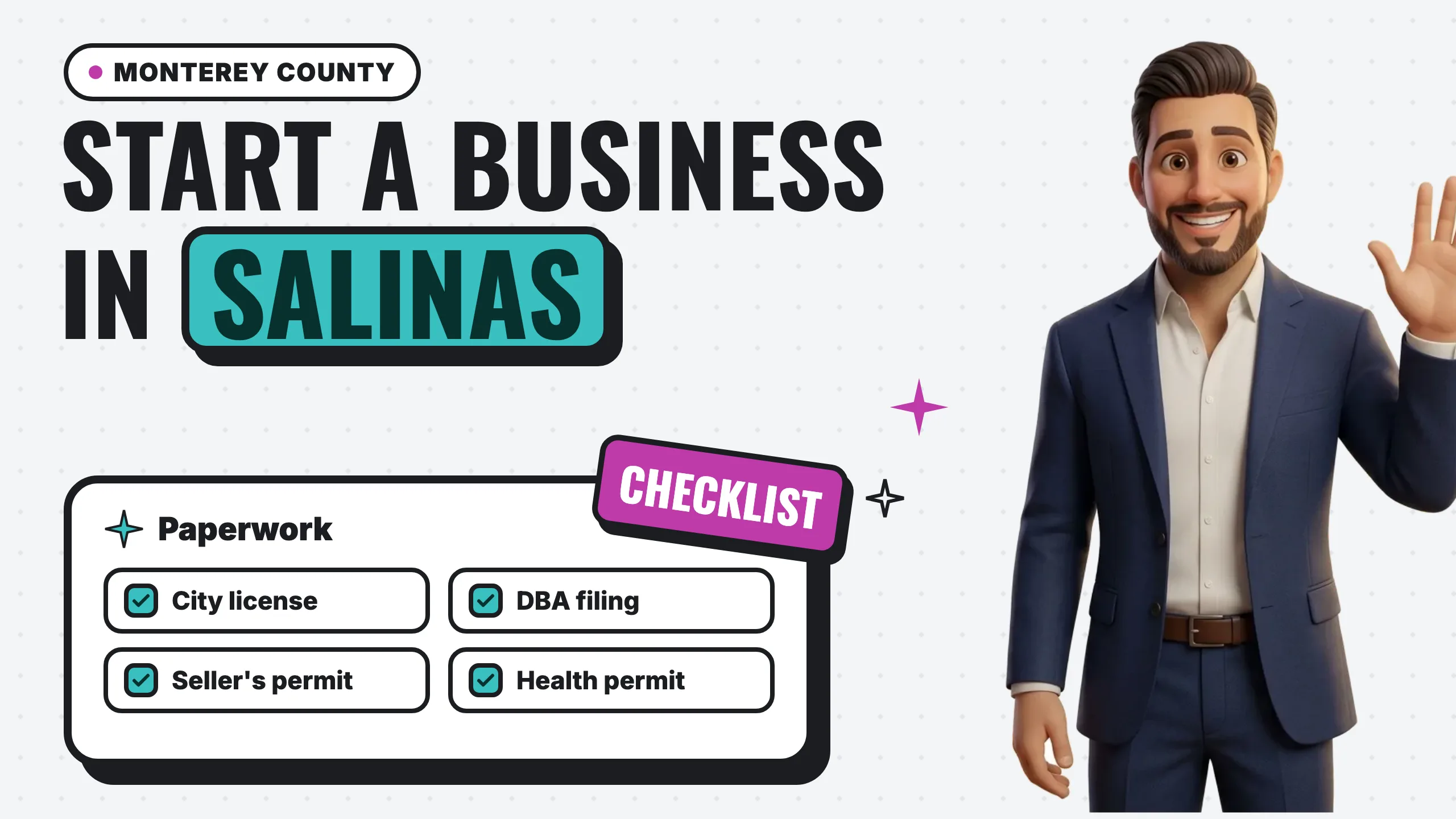
To start a business in Salinas or elsewhere in Monterey County, you will usually need five things:
- A business license from the city where you operate.
- A fictitious business name statement from the Monterey County Clerk if you trade under a name other than your own, followed by a four-week newspaper notice.
- A seller’s permit from the California Department of Tax and Fee Administration if you sell goods.
- State registration if you form an LLC or corporation or hire employees.
- Zoning, building, or health permits, depending on what you do and where.
If your business is in an unincorporated part of the county rather than a city, the county only requires a business license for a few specific business types.
Every office, form, fee and deadline below comes from the issuing agency’s own page or from California law, linked inline so you can check it yourself. Where an office does not publish a fee, we say so instead of guessing.
Key takeaways
- Salinas requires a license “before conducting business in the city, even if the business is located outside of the city,” and home-based businesses need a Home Occupation Permit first.
- The City of Monterey and the City of Seaside both require an application before you start operating, with the tax based on gross receipts.
- In unincorporated Monterey County, the Treasurer-Tax Collector’s license applies to hotels and motels, vacation rentals, homestays and commercial cannabis businesses, not to most other businesses.
- A fictitious business name (DBA) is filed with the Monterey County Clerk within 40 days of first doing business. The filing fee on the County’s schedule is $50, and the statement must then be published once a week for four weeks.
- A seller’s permit is free, though the state may ask for a security deposit.
- The paperwork is only half of opening. A Google Business Profile and a website are how customers actually find you.
The checklist at a glance
Checked November 2026. Requirements and fees change, so treat the links as the source of truth.
| Requirement | Who issues it | Link |
|---|---|---|
| Business license, Salinas | City of Salinas Finance Department | salinas.gov |
| Home Occupation Permit, Salinas (home-based businesses) | City of Salinas Current Planning Division | salinas.gov |
| Business license, City of Monterey | City of Monterey Revenue Office | monterey.gov |
| Business license (Business Operations Tax), Seaside | City of Seaside Finance Division | ci.seaside.ca.us |
| Business license, unincorporated county (specific business types only) | Monterey County Treasurer-Tax Collector | countyofmonterey.gov |
| Business license, other cities in the county | Each city | County list of city license offices |
| Fictitious business name statement (DBA) | Monterey County Clerk | countyofmonterey.gov |
| DBA newspaper publication | You, through a newspaper of general circulation | Bus. & Prof. Code 17917 |
| Seller’s permit (if you sell goods) | California Department of Tax and Fee Administration (CDTFA) | cdtfa.ca.gov |
| LLC or corporation formation | California Secretary of State | bizfileOnline.sos.ca.gov |
| Employer registration (if you hire) | California Employment Development Department (EDD) | edd.ca.gov |
| Building permits, unincorporated county | Monterey County Housing and Community Development, Building Services | countyofmonterey.gov |
| Food facility plan check and health permit | Monterey County Environmental Health, Consumer Health Protection | countyofmonterey.gov |
This is a checklist of what the official pages say, not legal or tax advice, so confirm the details with each office before you file or sign a lease.
Step 1: Get a business license from your city
In Monterey County, the business license comes from the city your business operates in. Each city runs its own program, with its own application, tax formula and renewal calendar.
City of Salinas
Salinas “requires all businesses operating within the city to obtain a business license and pay a business license tax.” Under the Salinas City Code, Chapter 19, the license must be “obtained before conducting business in the city, even if the business is located outside of the city and/or licensed by another jurisdiction” (City of Salinas). That second part catches contractors and mobile services based in other towns who take jobs in Salinas.
How to apply:
- Online through the Salinas Online Access Portal, or in person by submitting the business license application PDF (an English and a Spanish version are posted) to the Finance Department.
- Have your tax ID ready. The City says every application must include a Federal Employer Identification Number or a Social Security Number. Sole owners and partnerships provide an SSN or California driver’s license number for each owner; LLCs, corporations and similar entities provide a federal or state employer ID (Salinas portal).
- Bring the permits that go with your business type. The City lists them: “Applications for all businesses involving food must be accompanied by a valid health permit. Retail businesses will need to provide a seller’s permit number,” and contractors must include their State Contractors License Number.
- You pay after review, not up front. The portal says “No payment will be required until your application has been reviewed and accepted,” after which you receive an email with the amount due.
The fee: the City’s business license pages do not list a fee amount, and the amount due is emailed to you after review. Check the current amount with the Finance Department’s Revenue Division at 831-758-7211 or eBizLicense@ci.salinas.ca.us.
Renewal timing depends on how your tax is measured. Licenses measured by gross receipts “expire at the end of December and are due before the first day of February,” while other annual licenses “expire at the end of June of each year and are due before the first day of August.”
One sentence on the City’s page is worth reading twice: a Salinas business license “only evidences that the City’s business license tax and applicable fee(s) … have been paid,” and it “shall not be construed as compliance with other City ordinances, State laws, or Federal laws.” The license is one item on this list, not the whole list.
City of Monterey
The City of Monterey says “a business license is required to do business in the City of Monterey” under City Code Chapter 19, and “it is mandatory for all businesses to submit a business license application on or before starting to do business” (City of Monterey).
- Apply through the City’s online business license application or the fillable PDF form returned to the Revenue Office.
- The tax is based on gross receipts. For a new business, the City says fees “are based on estimated receipts,” excluding sales tax (City of Monterey). The business license page has a tax calculator, and businesses in the City’s promotion districts may also owe a promotion fee.
- Wait for the final license. You get a receipt when you apply and pay; “the final business license will be mailed after all appropriate City Departments have reviewed and approved the application. You should not operate the business until all City requirements are met.”
- Renewal: “All business licenses expire on June 30th and must be renewed by August 15th to avoid late penalties.” The City also notes that card payments carry a 2.9% surcharge.
Questions go to (831) 646-3944 or revenue@monterey.gov.
City of Seaside
Seaside calls its license the Business Operations Tax. Per the City’s FAQ, “any person transacting or carrying on any business within the city limits of Seaside are required to obtain a City Business License,” and “an application must be submitted prior to the commencement of any business activity within the city limits” (City of Seaside).
Seaside’s own order of operations starts with zoning: “The Planning Division is the place to start to make sure your business is a permitted land use on a particular property.” After any required planning permits, the Building and Finance Divisions accept your Certificate of Occupancy and business license applications (City of Seaside). The Planning Division is at City Hall, 440 Harcourt Avenue, (831) 899-6737.
- Apply at City Hall’s public counter, or through the City’s Business Operations Tax portal, which handles new applications, renewals and payments (help line (831) 278-5858). The portal notes that cannabis and short-term rental businesses need to contact the City directly.
- The fee “is based on the type of business and the amount of gross receipts the business generates as prescribed in Title 5 of the Seaside Municipal Code.” Check the current amount with the City.
- Renewal: licenses run July 1 through June 30. “Renewal forms are due by July 31st and the related business license tax is due by August 31st,” and a late renewal form carries a $15 late filing fee.
Unincorporated Monterey County
If your business is outside any city’s limits, in an unincorporated part of the county, the rules are different. The Monterey County Treasurer-Tax Collector issues a business license only “for specified businesses being conducted within unincorporated Monterey County.” The County lists them: operators of “Hotels/Motels, commercial and limited vacation rentals, homestays and commercial cannabis businesses,” with the requirement for all Transient Occupancy Tax operators taking effect October 11, 2024 (Monterey County Treasurer-Tax Collector).
If your business is one of those types, apply through the County’s online application before you start. The office is at 168 West Alisal Street, 1st Floor, Salinas, (831) 755-5057. If it is not, there is no county business license to get, but the planning, building, health and state items below still apply.
Other cities in the county
Marina, Pacific Grove, Carmel-by-the-Sea, Gonzales, Soledad, King City, Greenfield, Sand City and Del Rey Oaks each run their own program. The County’s Economic Development office keeps a list of links to each city’s business license office.
Step 2: File a fictitious business name statement (DBA)
If customers will know your business by a name that is not your own legal name, you likely need a fictitious business name statement, filed with the Monterey County Clerk.
Do you need one?
The County defines a fictitious business name as “a business name that does not include the surname of the individual owner,” or where the names of other owners or the nature of the business are not evident from the name (Monterey County Clerk). Its own examples are the clearest test:
- “John Smith Plumbing” or “Smith Plumbing” does not require a filing, “because the owner (John Smith) is conducting business under his legal name.”
- “Smith & Jones Associates” or “Smith & Jones Sons” does, because “the words following the surname suggest other owners that are not specifically named.”
- For a corporation, a fictitious business name is “any name other than the exact corporate name as stated in the articles of incorporation.”
The deadline: anyone who “regularly transacts business for profit, under a Fictitious Name in the County of Monterey is required to file a Fictitious Business Name Statement with the County Clerk, within 40 days of first transacting business.”
One expectation to set: the Clerk is “only” a depository of names and “registration of a Fictitious Business Name does not guarantee exclusive use of that name.” A DBA is not a trademark.
How to file and what it costs
Search the County’s index of names first to make sure yours is not already registered. You can search online or at the Clerk’s office.
The County “strongly urge[s]” filing in person, and gives two ways to do it (Monterey County Clerk):
- Complete the application online, then come into the County Clerk’s office “along with a valid picture ID within two weeks or the request will be deleted.”
- Or come into the office with a valid picture ID and submit the application on the kiosk.
Filing by mail is also possible. Send the completed form, a check (drawn on a California bank) or money order payable to the Monterey County Clerk, and a legal-size self-addressed stamped envelope to Monterey County Clerk, P.O. Box 29, Salinas, CA 93902 (Monterey County Clerk). If you are filing for a corporation or LLC, include a copy of the articles.
The County’s Assessor and Clerk-Recorder fee schedule lists:
- $50.00 for a fictitious business name statement (effective 5 years), including one certified copy
- $7.00 for each additional name on the same statement (business name or partner’s name)
- $40.00 for a statement of abandonment
You may see a different filing figure on older pages elsewhere; the County’s fee schedule is the one to go by, and it is worth confirming at the counter.
The newspaper publication requirement
Filing is not the last step. California law requires the registrant to publish the statement. Under Business and Professions Code section 17917, “within 45 days after a fictitious business name statement has been filed,” the registrant must publish it “in a newspaper of general circulation in the county where the fictitious business name statement was filed,” and the newspaper “should be one that circulates in the area where the business is to be conducted.”
The publication follows Government Code section 6064: “once a week for four successive weeks.” Then you close the loop: “an affidavit showing the publication of the statement shall be filed with the county clerk where the fictitious business name statement was filed within 45 days after the completion of the publication.” The filing obligation is yours, so ask the newspaper how it handles the affidavit before you place the notice.
The publication fee is set by the newspaper, not the County, so ask the paper for its current rate before you choose.
Renewing
A statement “expires five years from the date it was filed,” or sooner: 40 days after any change in the facts it lists, or when you file an abandonment (Business and Professions Code section 17920). A renewal filed within 40 days of expiration “need not be published unless there has been a change in the information” (section 17917(c)).
Step 3: Get a seller’s permit if you sell goods
If you sell products, you probably need a seller’s permit from the state. CDTFA says you must obtain one if you “are engaged in business in California and intend to sell or lease tangible personal property that would ordinarily be subject to sales tax if sold at retail,” and that “both wholesalers and retailers must apply” (CDTFA).
- Cost: “Is there a fee charged for a seller’s permit? No.” However, “the CDTFA may require a security deposit to cover any unpaid taxes that may be owed if, at a later date, the business closes,” with the amount set when you apply.
- How: CDTFA offers a “free way to register online for a permit.”
- Temporary sales: if you do not hold a seller’s permit and “will make sales during temporary periods, such as Christmas tree sales and rummage sales,” CDTFA says you need a temporary seller’s permit.
Salinas asks retailers for the seller’s permit number on the business license application, so get this one first if it applies to you.
Step 4: Handle the state registrations
Forming an LLC or corporation
If you form an LLC or a corporation, you register it with the California Secretary of State through bizfile Online, the Secretary of State’s online portal. For an LLC, the Articles of Organization (Form LLC-1) list a $70.00 filing fee, with a $15 special handling fee for in-person submissions (California Secretary of State, Form LLC-1). For corporations and other entity types, check the current fee on bizfile Online for the form you need.
If you file a DBA for an LLC or corporation, remember the County wants a copy of the articles with it.
Hiring employees
EDD says “you must register as an employer within 15 days” if you own a business, hire employees, and “pay more than $100 in wages in a calendar quarter” (EDD). Registration is done through EDD’s e-Services for Business. Household employers follow a different threshold, so check EDD’s household employer guide if that is your situation.
Step 5: Check zoning, home occupation and building permits
This is the step to do before you sign a lease, not after.
- Salinas: businesses “may require a zoning review from the Planning Division,” and the City suggests “checking with the Planning staff in the Permit & Inspection Services office before signing lease agreements or purchasing commercial property” (Current Planning Division, 831-758-7206). If you are running the business from a home inside city limits, complete the Home Occupation Permit form and email it to the Current Planning Division; once it is approved, you apply for the business license (City of Salinas).
- City of Monterey: “Depending on the type of business, the location, and whether alterations are planned for the building or property, other permits and fees may be required. To assure that you meet all City requirements, check with the Planning Office” (City of Monterey).
- Seaside: start with the Planning Division, as above.
- Unincorporated county: the County notes that a planning permit “maybe required depending on the zoning district within which the property is located and the type of use proposed,” and that “building permits and fire protection district approvals are required for most construction work and change of use” (County of Monterey). Building Services is at 1441 Schilling Place, South 2nd Floor, Salinas, 831-755-5025 (Building Services).
Step 6: Get a health permit if you handle food
Health permits for food come from the County, even inside city limits. Salinas says “a County health permit is required for all persons providing food,” and its license applications for food businesses “must be accompanied by a valid health permit.” Seaside and the City of Monterey also point food businesses to the Monterey County Health Department.
From the County’s plan check page (Monterey County Environmental Health):
- Plans come first. “Plans must be submitted and approved before construction, remodeling, or operation begins,” and that includes changes to a food facility’s equipment, menu, layout, plumbing or ventilation.
- Submit by email to EHPlanCheck@countyofmonterey.gov, with the plan check application, proposed menu, floor plan, equipment specification sheets and the other documents the page lists. New food facilities also submit the Food Facility Permit Application (English and Spanish versions are posted).
- Fees: “Plan check fees vary depending on the type of facility, operation, and scope of work.” Check the County’s current Environmental Health fee schedule. The plan check fee “is separate from the annual health permit fee,” which “will be billed after the facility is approved for permitting.”
- Food trucks and carts may also need plan review, depending on the type of operation.
Questions go to Consumer Health Protection at 831-755-4505.
Getting found once you are open
The paperwork makes you legal. It does not make you findable. Once your name is settled, two things put you in front of customers searching nearby:
A Google Business Profile. This is what appears in Google Maps and the map results when someone searches for your type of business nearby. Google lets you “add or claim your business at no charge” (Google). Use the same name you registered: Google’s rules say your name “should reflect your business’s real-world name, as used consistently on your storefront, website, stationery, and as known to customers” (Google). Verification is the step most new owners get stuck on, so we wrote a full guide to verifying your business on Google.
A website. Your profile, your business cards and every directory listing need somewhere to point. Our step-by-step guide covers how to make a small business website, from choosing a domain to connecting it to Google. If you are budgeting for it alongside the license fees, how much a website costs breaks down current prices by route.
Local search. Once both are live, ranking in the map results for searches like “near me” is its own discipline. Our local SEO service for Salinas businesses covers the profile, reviews and local pages together.
Frequently asked questions
Do I need a business license to work from home in Salinas?
Yes. Salinas requires a license for businesses operating in the city, and a home-based business inside city limits also needs a Home Occupation Permit from the Current Planning Division, approved before you apply for the license.
Do I need a DBA if I use my own name?
Not if the business name is your legal name and does not suggest other owners. The County’s own example is that “John Smith Plumbing” does not require a filing, while “Smith & Jones Associates” does.
Does a DBA protect my business name?
No. The County says registration “does not guarantee exclusive use of that name,” and the Clerk does not approve or reject names.
Do I need a county business license if I am in an unincorporated area?
Only for the business types the Treasurer-Tax Collector lists: hotels and motels, commercial and limited vacation rentals, homestays and commercial cannabis businesses. Other county permits (planning, building, health) can still apply.
How long do I have to publish my DBA?
Within 45 days after filing, published once a week for four successive weeks, and then the affidavit of publication is filed with the County Clerk within 45 days after the publication is complete.
The bottom line
Opening a business in Salinas or Monterey County comes down to a short sequence: confirm the location is allowed, get the city license (or the county license if your business type requires it), file and publish your DBA if you use a business name, add the seller’s permit, state registrations and health permit that fit your business, and keep every renewal date on a calendar. Each office publishes what it needs; the links above go straight to them, and a quick call before you file is the surest way to catch anything that changed after we checked in November 2026.
Once the paperwork is done, the next job is getting found. If you are opening in the area, see how we build websites for Salinas businesses, or run our free 60-second Google Business Profile scan as soon as your profile is live to see how it stacks up against the businesses ranking around you.