There is no growth hack here. The way to get more Google reviews is to hand every customer a direct link and ask them, every time, within a day of finishing the job. BrightLocal’s 2026 survey found 78% of consumers had been asked for a review in the previous twelve months and 65% of them wrote one. Asking works on roughly two thirds of the people you ask. Nothing else in local marketing converts like that.
Most businesses still do not do it, usually because the link is buried and nobody set up the ask. So this guide is in that order: get the link and the QR code first (about a minute), build the ask into the end of the job second, then keep well clear of the three shortcuts that now carry civil penalties of up to $53,088 each.
Key takeaways
- 78% of consumers were asked for a review in the last 12 months and 65% wrote one. The ask is the whole mechanism.
- Your review link and QR code live under Read reviews then Get more reviews in your Business Profile. Google notes QR codes “can only be generated on a computer browser, not on mobile devices.”
- 47% of consumers will not use a business with fewer than 20 reviews, and only 9% will use one with five or fewer. Twenty is the real starting line.
- Recency now outranks volume for a third of buyers: 74% look for reviews from the last three months and 32% from the last two weeks, up from 20% a year earlier.
- Trigger the ask off an event you already record, like a paid invoice or a pipeline stage change, so it survives a busy week.
- Incentives and review gating are prohibited by Google and covered by the FTC’s Consumer Reviews and Testimonials Rule. The FTC sent warning letters to ten companies in December 2025.
Step 1: Get your Google review link
This is the single highest-value minute in this article, and most owners have never done it.
- Go to your Business Profile, signed in to the account that manages it
- Select Read reviews, then Get more reviews
- “To copy the review link, select Copy”
That gives you a short Google link that opens the review box directly, with the star selector already up. Save it somewhere you can reach in two seconds, because you are going to paste it several times a day. (Google)
If you cannot find the option, or your profile does not appear when you search your own business name, the profile itself is the problem rather than the link. Work through how to verify your business on Google first.
Step 2: Save the QR code
On the same Get more reviews screen there is a QR code. Right-click it and select Save image as… to download it.
One catch that sends people in circles: Google states that “currently, reviews QR codes can only be generated on a computer browser, not on mobile devices.” If you are looking for it on your phone and cannot see it, that is why. Do this part on a laptop.
A printed QR code earns its keep in exactly one situation: when the customer is standing in front of you with a phone in their hand and nothing to do. Counter, invoice, van door, the folder you leave behind. It is a poor substitute for a direct ask by text, and an excellent supplement to one.
Step 3: Ask, and ask properly
Here is the number that should decide your whole approach:
Two thirds of asked customers write the review. The businesses with 200 reviews are not better loved than you, they just have a step in their process that you do not.
Timing. Ask when the job is finished and the customer is happy, which for most trades is the moment you are packing up and for most shops is at the counter. If you cannot ask in person, send it within 24 hours while the experience is still sharp. A request that arrives a week later competes with the rest of their inbox.
Channel. Text beats email by a wide margin, because the link opens on the device that is already signed in to Google. Google’s own suggestions include sending “review requests through email, WhatsApp message, or Facebook post,” and adding the link to “receipts, in thank-you emails, at the end of chat interactions, or printed in your store.”
Wording. Short, specific, no pressure, no conditions:
Thanks again for having us out today, Marcus. If you have a minute, a quick Google review really helps people in the area find us: [your link]. Either way, call me if anything comes up with that heater.
That works because it names the job, states why it matters, gives one tap, and explicitly does not require the review to be positive. Which, as covered below, is not just good manners.
Step 4: Make the ask fire on its own
Everything above works, and almost nobody sustains it, because the ask depends on a person remembering at the exact moment they are loading a van or closing a ticket. Two thirds of asked customers write a review, so every ask that does not happen is most of a review lost. Automating it is not a growth hack. It is the thing that makes the ask survive a busy week.
The rule is to trigger off an event your business already records, rather than off a date or a reminder to yourself.
If you invoice through QuickBooks, Zapier exposes a New Paid Invoice trigger, which fires when an invoice balance reaches zero, and a New Payment trigger for payments as they land (Zapier). Either is a clean signal that the work is finished and the customer was happy enough to pay. Wire it to whatever sends your messages.
If you run a CRM with pipelines, use the stage change. HighLevel has a Pipeline Stage Changed trigger that fires when an opportunity moves between stages, so dragging a deal to Won or Customer can send the request with no further action (HighLevel). The same tool also triggers on appointment status, on a tag being added, and on a form submission, which between them cover most appointment and field-service work.
If you use neither, the job-complete checkbox in your field-service app, or a tag you add by hand every Friday, is enough. The trigger matters far less than the fact that something other than your memory owns it.
Making it not sound automated
An automated ask that reads like a marketing blast converts like one. The rule that governs replies governs requests too: one specific detail is the whole difference.
- Send it from a person. A real name and a real number, not a five-digit shortcode and not a no-reply address. When someone texts back “thanks, done!”, you want that to reach you.
- Merge the job, not just the name. Most setups merge the first name and stop. Merge the service as well, so the message names the water heater or the logo rather than “your recent service.”
- Write it like a text, because it is one. Two sentences. No header image, no logo block, no “Dear Valued Customer.”
- Respect the clock. Put a business-hours window on the send. A request that arrives at 3am reads as a machine no matter how well it is worded.
- Time it to the value, not to the invoice. For a completed visit, same day or the next morning, while the experience is sharp. For something the customer has to live with before they have an opinion, give it a few days. Generic advice to wait thirty days comes from ecommerce, where the product is still in transit, and it is wrong for most service work.
- Stop after two. One ask, one reminder a few days later, then nothing. The third message is how a five-star customer learns to mute you.
The one setting to turn off
Automation is where a policy problem tends to sneak in. A lot of review tools ship a feedback funnel: survey the customer first, send the happy ones to your Google link, and route the unhappy ones to a private form instead. It is marketed as reputation management, and it is exactly the review gating covered below, which Google prohibits in as many words and which the FTC rule reaches.
If your tool offers that switch, leave it off. Everyone gets the same link.
Where to put the link
| Placement | Effort | Why it works |
|---|---|---|
| Text message after the job | One minute | Opens on a signed-in phone. The highest converting placement by far. |
| Email signature | Once | Passive, but it compounds across every thread you already send. |
| Invoice or receipt footer | Once | Reaches the customer at the moment they are thinking about value. |
| Printed QR on the counter or van | Once | Catches the in-person customer with a free hand. |
| Thank-you card left behind | Per job | Physical reminder that outlives the visit. |
| Booking confirmation follow-up | Once, automated | Fires without anyone remembering to send it. |
| Website footer or thank-you page | Once | Catches the repeat customer who came looking for you. |
None of these replace the direct ask. They catch the people who said yes and then forgot.
How many reviews do you actually need?
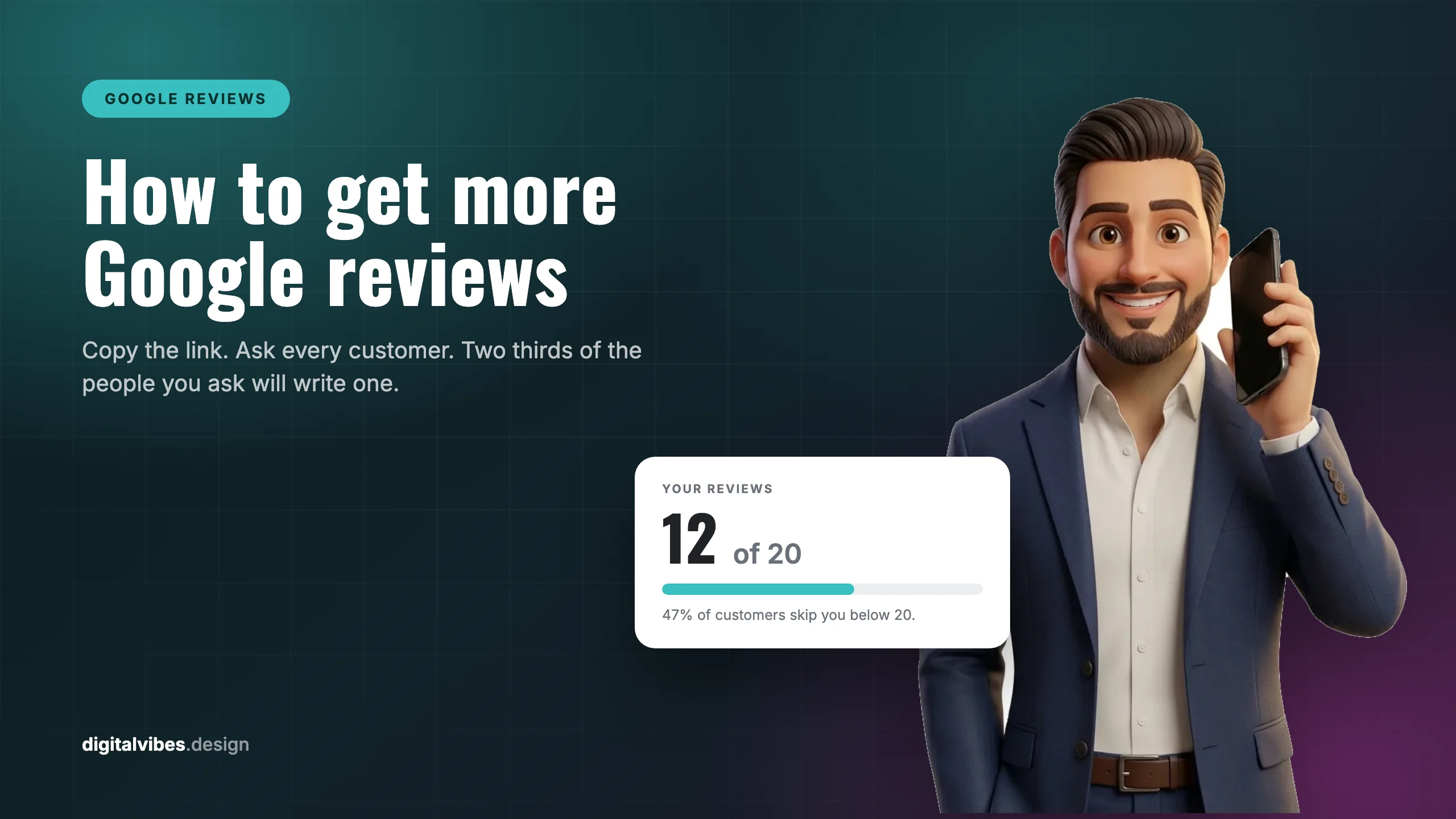
Twenty. That is the number that changes the maths, because 47% of consumers will not use a business with fewer than 20 reviews, and only 9% say they would use one with five or fewer.
Our own profile is the clearest example I can give you, so I will use it. As of September 2026, Digital Vibes Design has 12 reviews and a 5.0 average. Twelve customers, twelve five-star ratings, no complaints. On the rating side we are past every threshold in the survey, including the 4.5-plus bar that 31% of consumers now insist on. We are still building toward the volume line, which is exactly why the ask described above is now a fixed step at the close of every project here rather than something we get to when we remember.
That is the whole lesson sitting in one profile, and it is the most common shape of this problem. The rating is usually not what is holding a business back. The volume is. Eight more reviews closes it, and there is no budget you can spend instead of asking.
The star bar has moved too, and fast:
In one year the share of consumers demanding at least four stars went from 55% to 68%, and the share demanding 4.5 or better nearly doubled, from 17% to 31%. A 4.2 average that was comfortably acceptable last year is now below the line for two thirds of buyers.
Recency beats volume
A pile of old reviews reads as a business that used to be good. 74% of consumers look for reviews written in the last three months, 32% want them from the last two weeks (up from 20% a year earlier), and 18% only consider the last week.
The practical consequence is that this is not a campaign. Fifty reviews collected in one push and then abandoned will look worse in eighteen months than fifteen reviews arriving steadily. Build the ask into the close of every job and stop thinking about the total.
The three shortcuts that will cost you
Every one of these is sold as a growth tactic somewhere. All three are prohibited, and two of them now carry federal penalties.
1. Incentives. Google is unambiguous: “Offering incentives, like free or discounted goods or services, in exchange for customers to post reviews, change reviews, or remove negative reviews is considered fake & misleading content and is strictly prohibited” (Google). The Maps content policy separately bars merchants from offering “payment, discounts, free goods and/or services” for any review. No draws, no raffles, no ten percent off.
2. Review gating. This is the one that catches honest businesses, because the software that does it is sold as reputation management. Gating means surveying customers first and sending only the happy ones to Google. Google’s policy prohibits merchants from “discourag[ing] or prohibit[ing] negative reviews, or selectively solicit[ing] positive reviews from customers” (Google). The FTC’s Consumer Reviews and Testimonials Rule, effective 21 October 2024, also reaches conduct that implies “a review has to be positive in order for consumers to get an incentive” (FTC). Ask everyone. Let the chips fall.
3. Buying reviews. Contributions must “reflect a genuine experience at a place or business.” Beyond the platform risk, FTC rule violations carry civil penalties of up to $53,088 per violation, and on 22 December 2025 the agency sent warning letters to ten companies over fake reviews and paying incentives for positive reviews only (FTC).
One more, from the same Google policy and easy to do by accident: do not “require or pressure users to leave ratings or write reviews while on the premises.” Handing someone a tablet and waiting while they type is not the neutral ask it feels like.
Then reply to them
Collecting reviews and ignoring them wastes most of the benefit. 80% of consumers say they are likely to use a business that responds to all of its reviews, and Google lists replies on its own local ranking advice. Once the requests are flowing, set up the other half of the loop: how to respond to Google reviews, including the reason templated replies backfire.
Frequently asked questions
How do I get my Google review link?
Go to your Business Profile, select Read reviews, then Get more reviews, then Copy. The link opens the review box directly with the star selector showing.
Can I create the review QR code on my phone?
No. Google states that “currently, reviews QR codes can only be generated on a computer browser, not on mobile devices.” Use a laptop, save the image, then print or share it.
Is it against the rules to ask customers for reviews?
No. Google actively suggests it: “Remind customers to leave reviews: To leave reviews, you can ask customers to visit a Google link or scan a QR code.” What is prohibited is paying for reviews, and asking only the customers you expect to be positive.
Should I use a review request tool?
Yes, if it removes the remembering. Trigger it off something you already record, a paid invoice or a stage change, and write the message like a person rather than a campaign. The one feature to leave switched off is the satisfaction survey that sends only happy customers to your Google link, because that is review gating and it is prohibited.
Can I offer a discount or a prize draw for reviews?
No. Google treats incentives of any kind as fake and misleading content, and the FTC rule covers incentives conditioned on the review being positive. The risk is your profile and potentially a civil penalty, against a handful of reviews.
How long do Google reviews take to appear?
Longer than most people expect. Google states that “review evaluation typically takes several days” (Google). Do not chase a customer who tells you they left one and cannot see it yet.
How many Google reviews do I need to compete?
Clear 20 first, since 47% of consumers will not use a business below that, then hold a 4.0 or better average given that 68% now require at least four stars. After that, compete on recency rather than total.
Why did my reviews disappear?
Google says that “to remove reviews identified as spam, Google uses automated spam detection,” and that “flagged reviews that violate our content policies are removed and will no longer show on Maps and Search.” Google also admits the filter is imperfect: “occasionally, the system may also mistakenly remove legitimate reviews.” Google does not publish what trips it, which is itself an argument for a steady weekly ask over a one-off campaign: a sudden burst is the pattern with the least to recommend it as organic.
The bottom line
Getting more Google reviews is a process problem, not a marketing problem. Copy your review link today, save the QR code from a laptop, and add one sentence to the end of every job. Two thirds of the people you ask will write one. Clear twenty, hold four stars, keep them arriving every week, and never trade anything for them.
If you want to see where your profile stands against the businesses ranking around you, the free 60-second GBP scan grades it with no signup. For the wider picture of what moves map pack position, read how to rank higher on Google Maps. And if you would rather not own the process at all, review management is part of the $550 a month Google Business Profile plan.