Swap a photo
Upload from your phone, use a link, or attach it in ChatGPT.
"Replace the top photo"
New for Digital Vibes clients
Swap a photo, fix a paragraph or change your hours in a minute, from Claude or ChatGPT. Everything that gets you found on Google stays fully managed by us.
 Echo
Echo See it in action
A real edit from start to finish, on a demo website: the request in ChatGPT, the private preview, then Publish. It works the same on a computer and in the ChatGPT phone app.
What you can update
Quick, everyday updates. Not a website builder: your site stays the professional one we built.
Upload from your phone, use a link, or attach it in ChatGPT.
"Replace the top photo"
Closed days, holidays, open 24 hours.
"Closed Monday for the holiday"
Headlines, paragraphs, buttons. Spanish written for you.
"Make the intro shorter"
Grow the lists already on your site.
"Add a question about parking"
Phone, email, address, social links and booking link.
"New phone: 831 555 0100"
New pages, layout changes, design and SEO stay with our team.
The editor does not edit your whole website. All the technical, behind-the-scenes work that makes your site rank and convert is still ours.
Keywords, page structure and everything search engines read. Your edits never touch it, so the work that ranks your site stays in our hands.
Showing up when people ask ChatGPT, Gemini or Google AI for a business like yours. We keep your site readable and trusted by those answers.
Local visibility, your Google Business Profile work and the signals that put you on the map in your area.
Creating or deleting pages and any major layout change. Ask us and we plan it, build it and keep it working.
Colors, fonts and the professional design your site was built with. These are locked in the editor on purpose.
Fast loading, hosting, backups, security and the code underneath. Everything that keeps your site up and safe.
How it works
Why we built this
Security
This is not something anyone can get into. Every safeguard is already in place.
One-time setup in ChatGPT
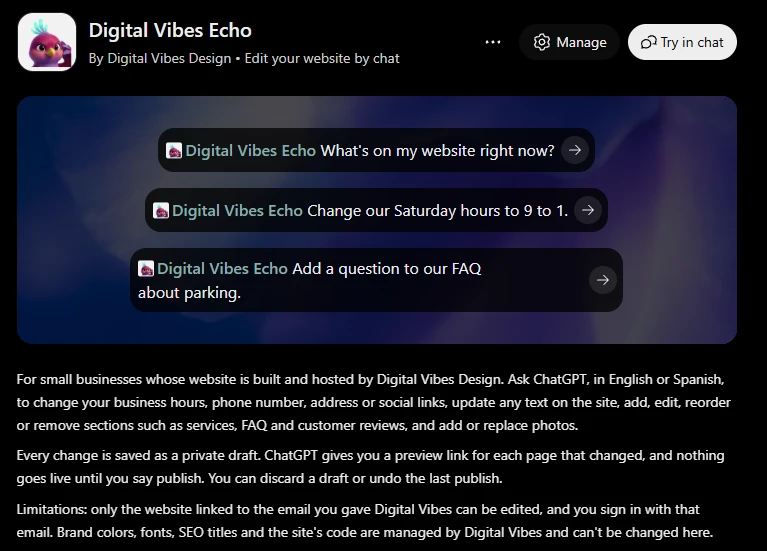
Then, in a new chat, type @, choose Digital Vibes Echo and ask: "What's on my website?"
Not set up yet? We are moving client websites onto the editor now. You will get an email from us when yours is ready, with your own sign-in steps.
| What it does | Try saying | Tool |
|---|---|---|
| Look around | ||
| Reads every page, section, text and photo on your site. Changes nothing. | "What's on my website?" | get_site_overview |
| Business info | ||
| Name, phone, email, address, hours, social links, service area and booking link. These feed your call buttons, footer and Google business data. | "We're open Saturdays 9 to 3 now." | update_business_info |
| Text and sections | ||
| Rewords headlines, paragraphs, buttons and menu names. Change one language and the AI writes the other for you. | "Change my home headline to Salinas' favorite bakery." | update_text |
| Adds a section your site supports, like reviews, an FAQ, a gallery, services or a call to action. | "Add an FAQ to my home page." | add_section |
| Edits a section, or adds, changes and removes its services, questions or reviews. | "Add a question about parking to my FAQ." | update_section |
| Moves a section higher or lower on the same page. | "Put the reviews above the services." | move_section |
| Takes a whole section off a page, after checking with you. The top banner and the hours and contact section always stay. | "Take the gallery off my about page." | remove_section |
| Photos | ||
| Gives you a private link to upload a photo from your phone or computer. The link works for 30 minutes. | "I want to replace the top photo." | request_photo_upload |
| Uses a photo that is already online, from a direct link to a JPG, PNG or WebP under 15 MB. | "Use this photo from my Instagram." | replace_image_from_url |
| Uses a photo you attach in the chat. ChatGPT only; in Claude you get an upload link instead. | Attach a photo: "Put this on my site." | add_photo_from_chat |
| Changes a photo's description, which Google and screen readers use. | "Describe that photo as our storefront." | update_image_alt |
| Takes a photo out of a gallery or clears an optional photo spot. | "Remove the third gallery photo." | remove_image |
| Preview and publish | ||
| Private preview links for each changed page, in English and Spanish. They work for 48 hours. | "Show me my changes." | get_preview |
| Makes your draft live in about 1 to 2 minutes. Only after you have seen the preview and said so. | "Looks good, publish it." | publish_changes |
| Throws away unpublished changes, after checking with you. Your live site is not touched. | "Forget those changes." | discard_changes |
| Reverses your last publish as a new draft you preview and publish. | "Undo my last publish." | undo_last_publish |
Agents on a company website use the same tools on their own page only, in English.
We are moving client websites onto the editor now. If yours is not set up yet, you will get an email from us when it is ready, with your own sign-in steps.
No. Every change is a private draft until you see the preview and say "publish". You can discard a draft, or undo your last publish.
No. Write the way you would text us, in English or Spanish. The AI picks the right tool and asks if something is unclear.
Yes. When you change text in one language, the AI writes the other and shows it to you before saving.
Ask to add or replace a photo and you get a private upload link that works for 30 minutes. In ChatGPT you can also attach the photo in the chat.
No. Only the email we link to your website can sign in, and knowing that email address is not enough: you sign in with a one-time code sent to your inbox. Agents on a company site can only edit their own page.
No. The editor is only for quick, simple updates like a photo, a paragraph or your hours. We still manage your SEO, Google rankings, AI search visibility, design, new or deleted pages, major layout changes and everything technical.
The editor only reaches simple content. Page titles, descriptions, the site's code and structure are locked, and we keep managing them, so the work that gets you found stays in our hands.
Ask us and we handle it. New pages, deleted pages, major layout changes, design, colors and fonts stay with Digital Vibes.
Simple updates are yours. Everything that gets you found, we keep managing.
Then try asking: